
Preface
Most of you are very familiar with
NSUserDefaults. Today I’ll show you how to clearNSUserDefaultsinformation using the terminal
NSUserDefaults is like the registry in Windows development; it’s used to store some flag bits Recently in development, what I needed most was clearing NSUserDefaults information without running the code
$ defaults delete + bundle identifier eg: com.baidu.demo
The following deletes all files with com.baidu.demo as the bundle identifier
1
$ defaults delete com.baidu.demo
The actual path (replace
my appand the arrows before and after with your own app’s bundle identifier)
For macOS apps without sandbox (see below): ~/Library/Preferences/<my app>.plist <my app> eg:QQ 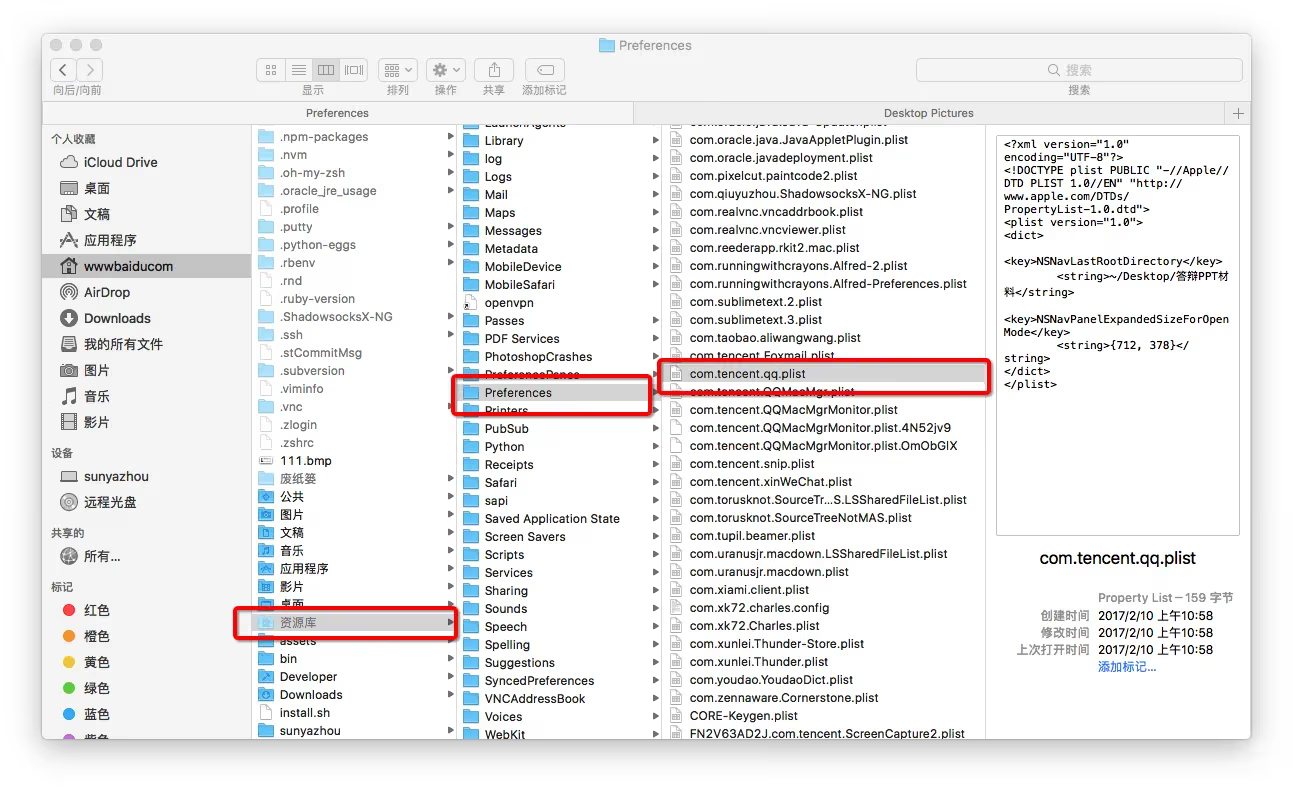
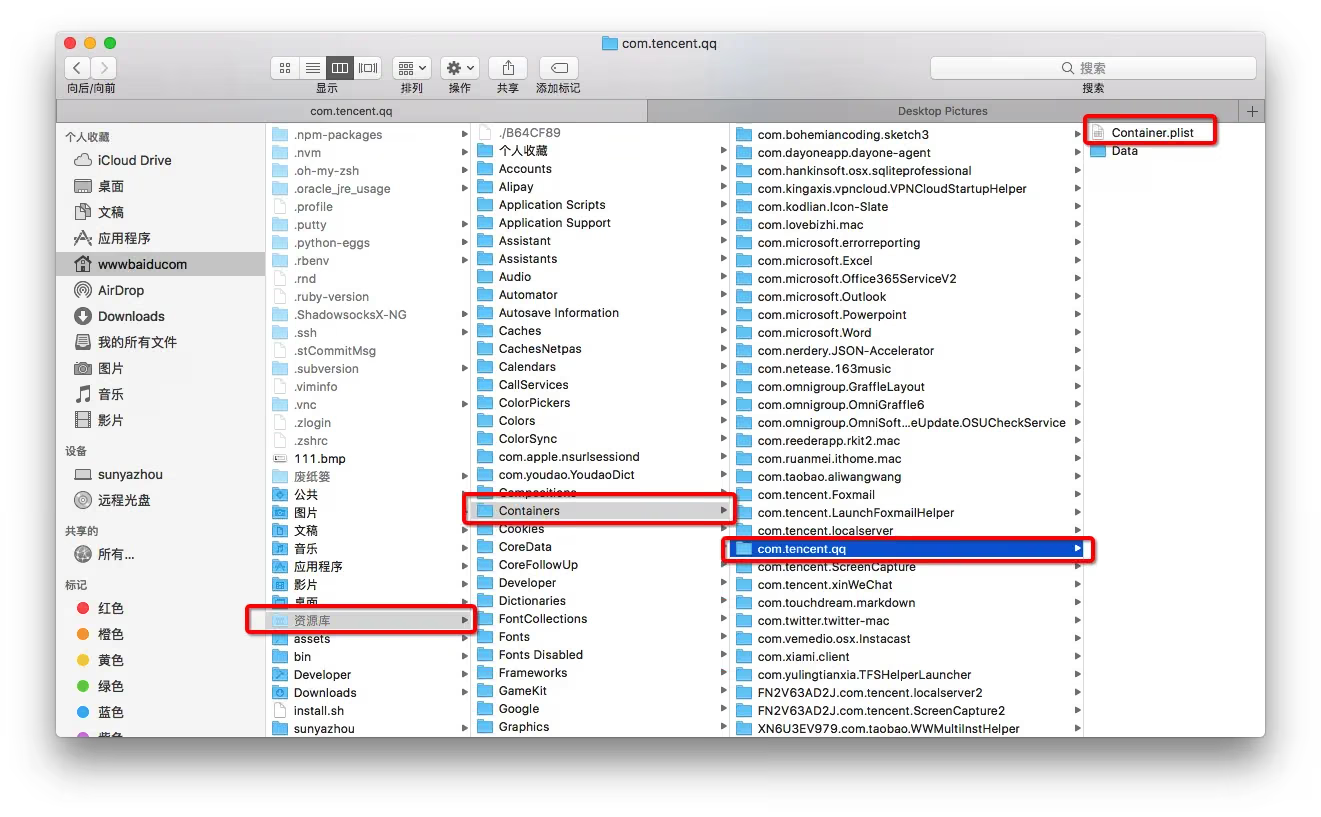
For macOS apps with sandbox (see below): ~/Library/Containers/<my app>/Data/Library/Preferences/<my app>.plist eg:qq
Summary
defaultsalso has other commands, such as setting avaluefor akey. You can google it yourself
Thank you all
The End