

This page is for the desktop tools I build myself — made in my spare time, all free, local-only, and with no data collection.
🧩 PastePro — a macOS Clipboard Manager
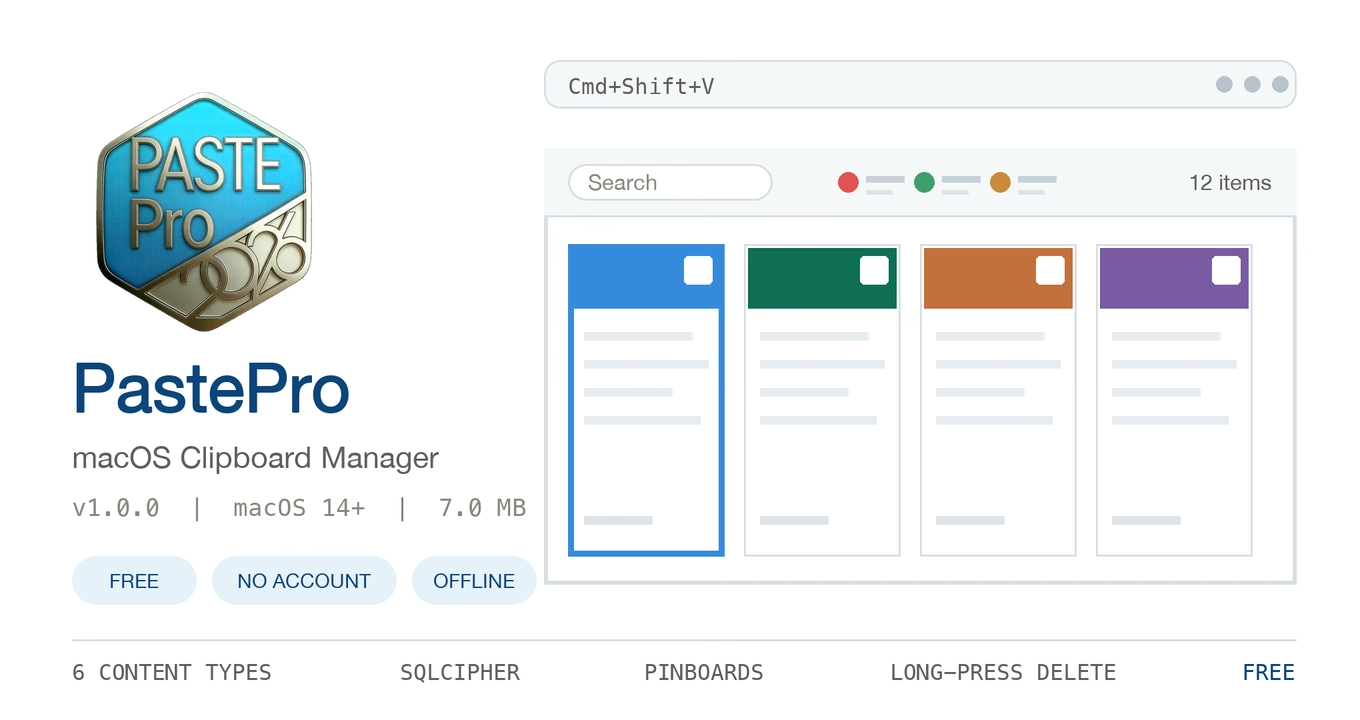
The first desktop tool I actually finished and shipped. It lives in the menu bar and remembers everything you copy; press ⇧⌘V to bring up the full-width panel at the bottom of the screen, pick a card, and it pastes right back. The interaction takes cues from Paste, but the subscription / account / paywall layer is gone entirely — free, with all data staying on the machine.
| Area | Details |
|---|---|
| Content | Text / rich text / links / images / files / colors, SHA256 dedupe, 500-item history by default |
| Navigation | One-card-per-step paging via arrow keys, mouse wheel or trackpad, ⌘1–⌘9 quick paste, Space for Quick Look, hold ⌫ / ⌦ to delete continuously |
| Organising | Multiple pinboards (7 colors, ordering, pin/unpin), trash with undo, search, customisable global hotkey with conflict detection |
| Data | SQLCipher-encrypted database (WCDB.swift ORM), settings in MMKV, no network calls, no telemetry |
| Requirements | macOS 14.0+, Apple Silicon / Intel, ~8 MB installer |
⬇ Download PastePro-1.0.2.dmg · Release notes and older versions
v1.0.2 (2026-11-06): removed the “slide back to the first card” animation when the panel opens — every launch now starts with data ready at card one, with no scrolling. The card-paging and deletion fixes from the previous release are kept.
Two small notes: the build is ad-hoc signed and not notarised, so Gatekeeper will object on first launch — run
xattr -cr /Applications/PastePro.appor click “Open Anyway” in Privacy & Security. “Paste on select” also needs Accessibility permission.The source repo is still private; the distribution repo only carries release builds and notes.
🖥 Windows / Linux (Electron build · experimental)
A separate implementation built with Electron and JSON storage, aiming for the same UI and interaction across all three platforms — currently at 0.1.0. ⚠️ It is not the same codebase as the native macOS build above: SQLCipher encryption, WCDB / MMKV storage and pinboards are not there yet, and features are still evolving.
| Platform | Download |
|---|---|
| Windows x64 | Installer exe · Portable zip |
| Linux x86_64 | AppImage · deb |
| Linux arm64 | AppImage · deb |
Full details and SHA-256 checksums are on the release page. On Linux, “paste on select” probes xdotool, a built-in XTEST injector, wtype, then ydotool; on pure Wayland or when none are available, copying and pasting manually still works.
🎬 AVIFBrewery3 — Video / GIF to AVIF
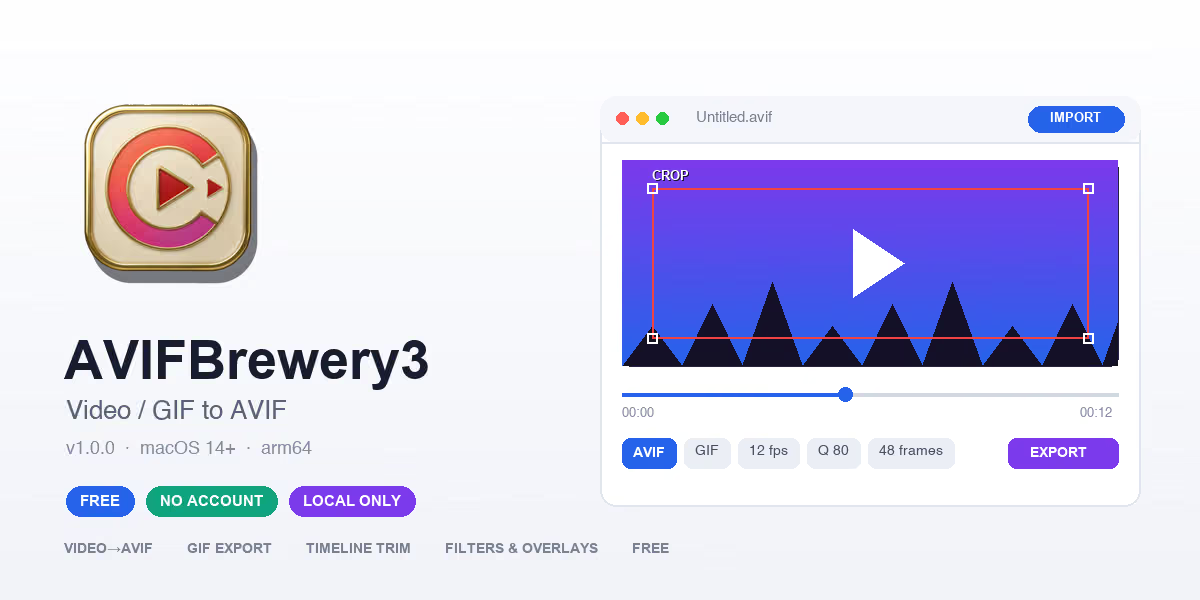
The second desktop tool I finished. Trim a video or GIF, tweak the colours, stack a filter or an overlay, then export as an animated AVIF sequence or a GIF. All encoding happens locally (libavif + libaom + FFmpeg ship inside the app) and no media leaves the machine. Free, with no subscription or account.
🎨 New icon (v1.0.0): the app icon was redesigned from the old blue/purple filmstrip badge into a gold-rim enamel badge — an ivory enamel face, a metallic gold rim, a coral-to-magenta enamel ring, and a red-outlined play triangle in the centre. The full icon set (AppIcon + menu-bar MenuIcon) ships in the v1.0.0 build.
| Area | Details |
|---|---|
| Import | MP4 / MOV / M4V / AVI / MKV / WebM / GIF, with a batch queue exported one by one |
| Trimming | Drag the timeline handles to pick a range, Clip Focus previews just that segment |
| Picture | Resize (Lanczos), Crop (red frame + 8 handles), rotate / straighten / mirror, filter stacks, timed text and image overlays |
| Encoding | AVIF / GIF with adjustable frame rate, frame count, quality, colour count, chroma subsampling and speed |
| Requirements | macOS 14.0+, Apple Silicon (arm64) only, ~16.2 MB installer |
⬇ Download AVIFBrewery3-1.0.0-arm64.dmg · Release notes and portable ZIP
The build is ad-hoc signed and not notarised, so Gatekeeper will object on first launch — click “Open Anyway” in Privacy & Security, or run
xattr -dr com.apple.quarantine /Applications/AVIFBrewery3.app. The app is sandboxed and reads/writes media through the system file picker.The source repo is still private; the distribution repo only carries release builds and notes. This build is arm64 only — Intel Macs can build a Universal 2 binary with
package.sh -u.
📖 AIDictionary — an Offline English–Chinese Dictionary

The third desktop tool I finished: a dictionary that works fully offline from the first launch. 3.39 million entries, Chinese definitions and an on-device language model all ship inside the app, so lookups, sentence translation and speech recognition run on the Mac. No account, no subscription, no uploads. Developers also get a Dev Naming page that turns a Chinese word — or a whole sentence — into variable / class / constant names.
| Area | Details |
|---|---|
| Lookups | 3.39M EN→ZH entries (IPA, POS, senses, English definitions, examples), 125K ZH→EN entries, 310K Chinese definitions; a bigram inverted index brings Chinese substring search to 55–250 ms (down from a 12–13 s full-table scan) |
| Translation & speech | Full-sentence EN↔ZH translation; .md / .txt / .srt / .csv file translation with format protection; voice input defaults to offline whisper.cpp with traditional→simplified conversion |
| On-device AI | Ships Tencent Hunyuan Hy-MT2-1.8B for AI explanations, example sentences and sentence-level Dev Naming. When the translation-tuned model can’t generate an explanation, it falls back to a local dictionary summary and labels the source honestly |
| Dev Naming | 5 naming styles × reserved-word avoidance for 13 languages, with variable / class / constant candidates and one-click copy |
| Data | WCDB + SQLCipher encrypted dictionary, settings/history in MMKV, all inside the sandbox container; no account, no telemetry, no ads |
| Requirements | macOS 14.0+, Apple Silicon / Intel universal, ~1.84 GiB installer |
⬇ Download AIDictionary-1.0.3.dmg · Release notes and SHA-256
🎨 v1.0.3 (2026-11-11): a brand-new app icon — from the dark gold-ring open book to a gold-framed square, dark leather background, gold letter A and a blue diagonal accent. All 10 size variants ship in the build, so Dock, Finder and the About panel update together; the version moves to 1.0.3 (build 2). Features, dictionaries and bundled models are unchanged from 1.0.0.
v1.0.0 (2026-11-07): first public build. Swift 6 across the project, indexed Chinese reverse lookup, offline whisper speech recognition, sentence-level AI naming (including negation folding such as “unpaid”), and a consistent Chinese app name in the About panel and menu bar.
The installer is large because the dictionaries and models ship inside it: 3.39M EN→ZH entries, the Chinese definition library, a 1.06 GB translation model and a 465 MB offline speech model. In exchange, the first launch needs no downloads.
Two notes: the build is ad-hoc signed and not notarised, so Gatekeeper will object on first launch — click “Open Anyway” in Privacy & Security, or run
xattr -cr /Applications/AIDictionary.app. An optional online translation fallback exists for lookups (off by default); leave it off if you want strictly local behaviour.The source repo is still private; the distribution repo only carries release builds and notes.
🎱 台球划线工具 — a screen annotation pen for billiards commentary
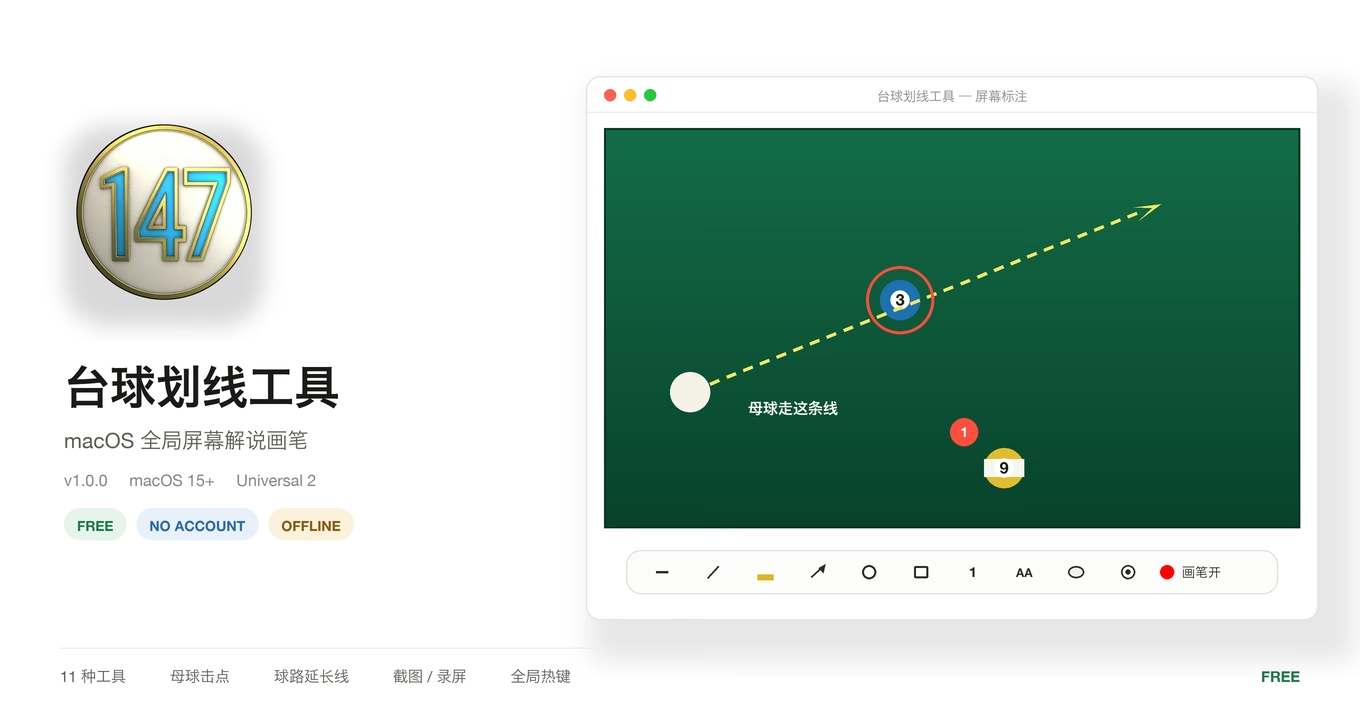
The fourth desktop tool I finished. The motivation was plain: while watching a match I wanted to point at things on the live stream, and screenshotting then editing was far too slow. So this is a transparent canvas laid on top of every window — flip the pen on and the mouse draws, circles and traces shot lines straight onto the screen; flip it off and clicks fall straight through to whatever is underneath. It lives in the menu bar and never steals focus or switches spaces.
| Area | Details |
|---|---|
| Tools | 11 of them: line / solid pen / highlighter / arrow / circle / rectangle / numbered marker / text / eraser / shot-line extension / pocket-to-pocket line |
| Cue-ball contact | A separate panel: cue ball plus a 5×3 joystick grid; drag the red dot and it names the shot, e.g. “high, left english” |
| Canvas | Transparent / whiteboard / blackboard / gallery (import a background image, ⌃-drag to pan, ⌃-scroll to zoom) |
| Sessions | Save the current canvas as a preset and load it back later; undo / redo / one-key clear; screenshots and recording via ScreenCaptureKit, with optional microphone for commentary |
| Hotkeys | ⌃E / ⌃Q toggle the pen · ⌃⌥T toolbar · ⌃⌥B cue-ball panel · ⌫ clear · ⌘Z undo · ⌘⇧S screenshot |
| Data | Strokes in WCDB, settings in MMKV, all under ~/Library/Application Support/MTHeyBallPen/; no account, no network, no telemetry |
| Requirements | macOS 15.0+, Universal 2 (Apple Silicon / Intel), ~5.3 MB installer |
⬇ Download MTHeyBallPen-1.0.0.dmg · Release notes and checksum
v1.0.0 (2026-11-10): first public build. Eleven tools, the cue-ball panel, session presets, screenshots and screen recording all land together; with the pen off, every keypress is passed through to the frontmost app untouched.
Two notes: the build is ad-hoc signed and not notarised, so Gatekeeper will object on first launch — click “Open Anyway” in Privacy & Security, or run
xattr -cr /Applications/MTHeyBallPen.app. On first launch it also needs Accessibility, Screen Recording and Input Monitoring permissions; whichever one is missing, the matching feature simply will not work.The source repo is still private; the distribution repo only carries release builds and notes.
🔧 Open Source Components
| Project | Description | Link |
|---|---|---|
| YZDebugTools | iOS shake-to-debug toolkit for inspecting view hierarchy and runtime info | GitHub |
| YZ3DMenu | 3D navigation menu component with cool interactions for iOS apps | GitHub |
✍️ One More Thing
These are tools I built with my own hands in my spare time, and I’ll keep polishing them. If one solves a pain point for you, or you’d like it to do more, let me know in the comments.