

Preface
Having seen countless times how people always create files using a timestamp + arc4random(), I felt deeply frustrated. Doesn’t the operating system provide a relevant function? So I found the following code to deal with filename conflicts when creating files.
1
2
3
4
5
6
7
8
9
10
11
12
13
14
15
16
/* Create a recording file */
    NSString *filePath = [@"~/Movies/AVScreenShackRecording_XXXXXX" stringByStandardizingPath];
    char *screenRecordingFileName = strdup([filePath fileSystemRepresentation]);
    if (screenRecordingFileName)
    {
        int fileDescriptor = mkstemp(screenRecordingFileName);
        if (fileDescriptor != -1)
        {
            NSString *filenameStr = [[NSFileManager defaultManager] stringWithFileSystemRepresentation:screenRecordingFileName length:strlen(screenRecordingFileName)];

            NSLog(@"唯一的文件名:%@",filenameStr);

        }
        remove(screenRecordingFileName);
        free(screenRecordingFileName);
    }
Before use 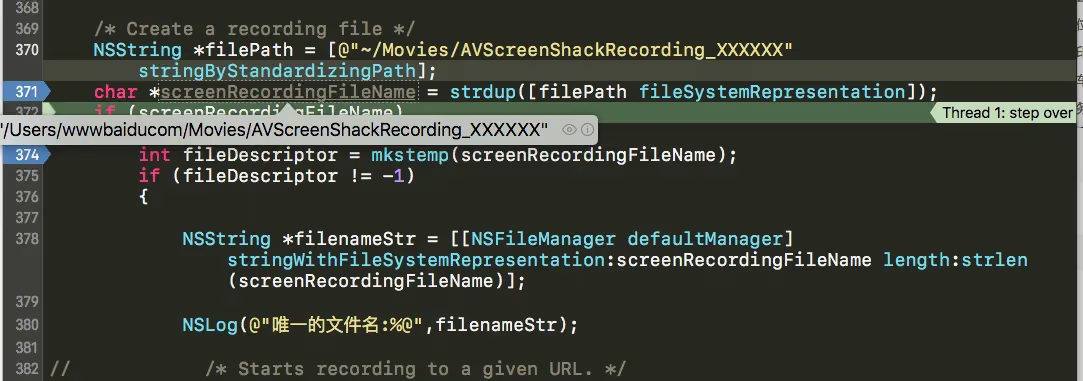
During the process 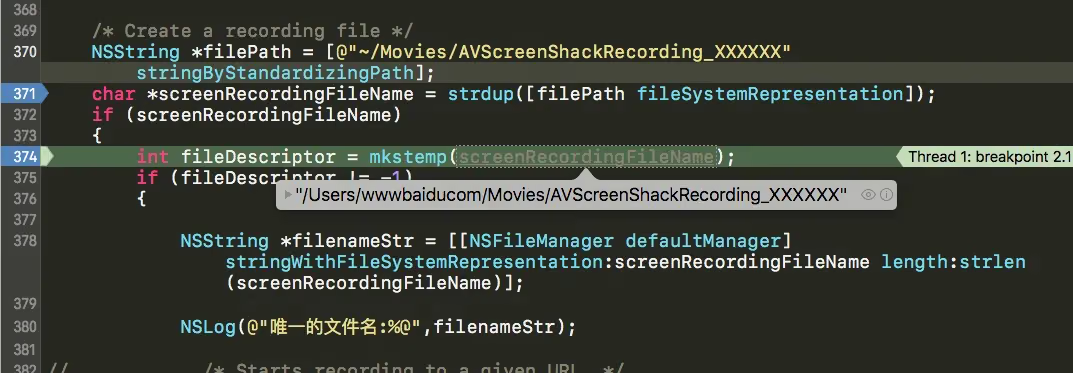
After completion 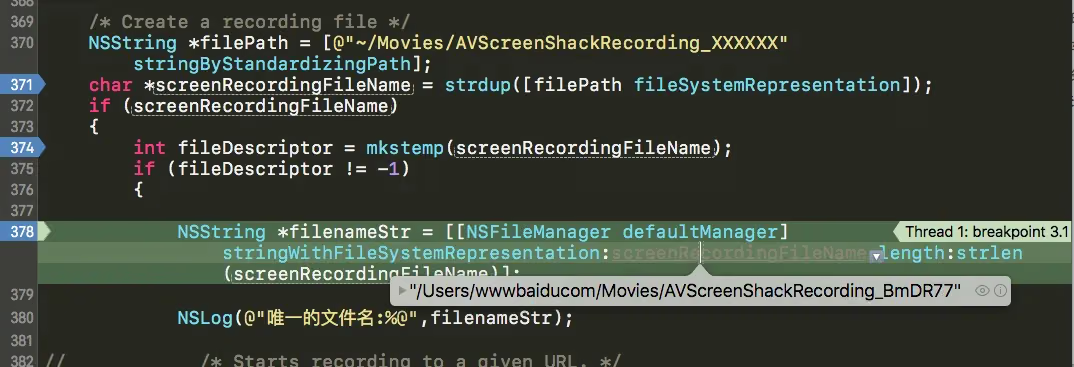
Remember that the file suffix needs to include XXXXXX — each X represents one character of digits + letters Note: It’s best to use 6 X’s or more. See Linux reference
The key is to understand the following two functions:
strdup() is a commonly used string copy function in C
mkstemp() creates and opens a file with a unique filename in the system
OK, hope this helps
End of article