
Preface
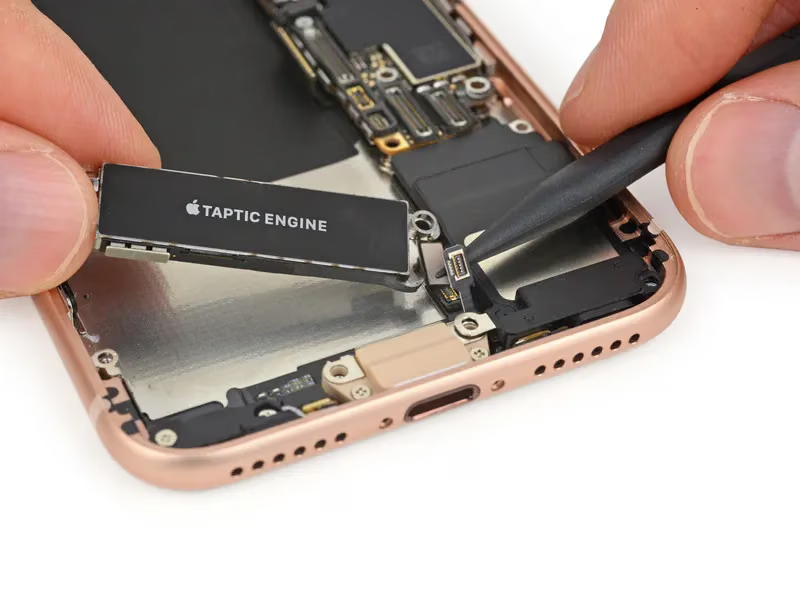
Taptic Engine is a brand-new vibration module introduced on Apple products; it first appeared in the Apple Watch. The iPhone 6s and iPhone 6s Plus also have a built-in Taptic Engine, with a design upgrade.
The Taptic Engine vibration module provides Force Touch and 3D Touch for the Apple Watch, iPhone 6s, and iPhone 7. Different screen operations deliver different vibration haptic effects, giving users a better experience.
Haptic vibration experience
Vibration code (old approach)
Calling this line of code does vibrate, but it’s a long vibration.
1
AudioServicesPlaySystemSound(kSystemSoundID_Vibrate);
Vibration code (new approach)
iOS 10 introduced a new way to generate haptic feedback, helping users recognize that different vibration feedback has different meanings. The core of this feature is provided by UIFeedbackGenerator.
UIFeedbackGenerator helps you implement haptic feedback. Its requirements are:
- Taptic Engine-capable devices (iPhone 7 and iPhone 7 Plus).
- The app needs to be running in the foreground
- The system Taptic setting needs to be enabled
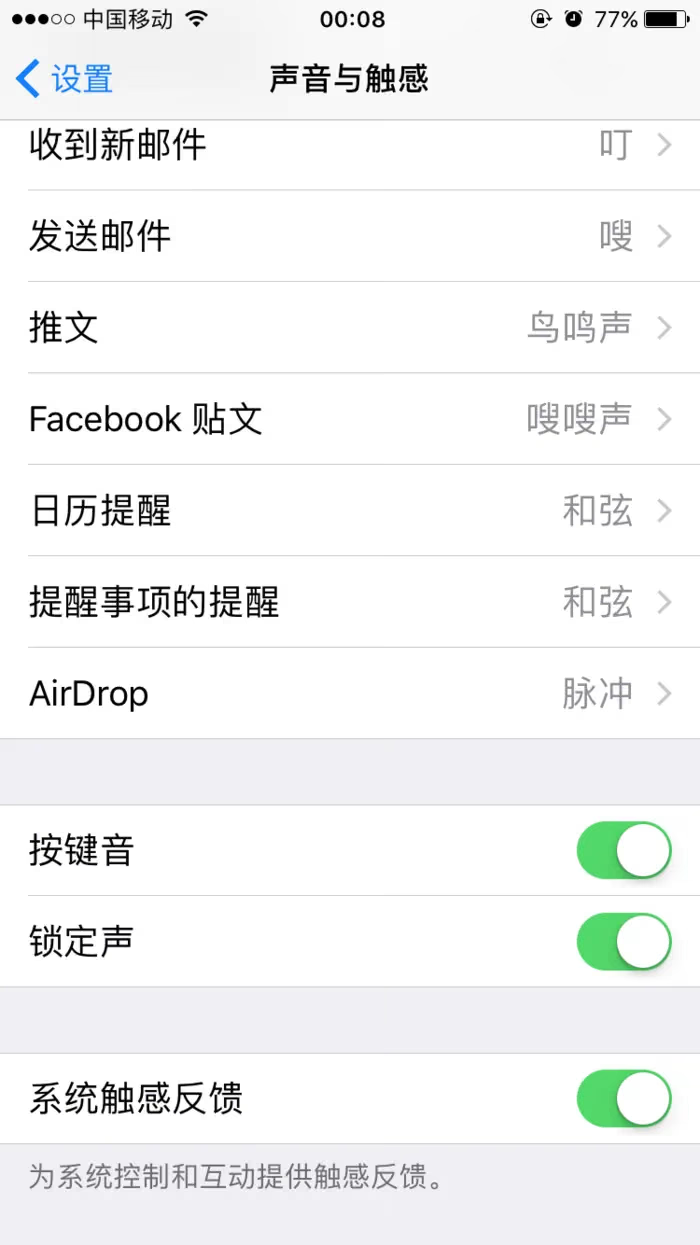
The image below shows enabling Sound & Haptics Phone – Settings – Sounds & Haptics – System Haptics (on)
Calling the relevant vibration code to implement vibration
The UIFeedbackGenerator subclasses are:
- UIImpactFeedbackGenerator
- UISelectionFeedbackGenerator
- UINotificationFeedbackGenerator
UIImpactFeedbackGenerator vibration
1
2
UIImpactFeedbackGenerator *generator = [[UIImpactFeedbackGenerator alloc] initWithStyle: UIImpactFeedbackStyleLight];
[generator impactOccurred];
There are three style enums for vibration:
1
2
3
4
5
6
typedef NS_ENUM(NSInteger, UIImpactFeedbackStyle) {
    UIImpactFeedbackStyleLight,
    UIImpactFeedbackStyleMedium,
    UIImpactFeedbackStyleHeavy
};
Basically, for each vibration you can just create an instance and call the method once; if you want a more performant design, you can make it a member variable.
Feedback results
| UIImpactFeedbackGenerator | UIImpactFeedbackStyleLight | UIImpactFeedbackStyleMedium | UIImpactFeedbackStyleHeavy |
|---|---|---|---|
| iPhone 7 (iOS 10) and newer | Slight short vibration | Medium short vibration | Noticeable short vibration |
| iPhone 6s Plus (iOS 9) | Long vibration | Long vibration | Long vibration |
| iPhone 6 (iOS 10) | No vibration | No vibration | No vibration |
UISelectionFeedbackGenerator vibration
Here I tried making it a member variable to simulate vibration during gesture dragging.
1
2
@property (nonatomic, strong) UISelectionFeedbackGenerator *feedbackGesGenerator;
Event handling
1
2
3
4
5
6
7
8
9
10
11
12
13
14
15
16
17
18
19
20
21
22
23
24
25
26
27
28
29
30
31
32
33
34
35
36
37
38
39
40
41
- (IBAction)gestrueHandle:(UIGestureRecognizer *)sender {
    switch (sender.state) {
        case UIGestureRecognizerStateBegan:

            // Instantiate a new generator.
            self.feedbackGesGenerator = [[UISelectionFeedbackGenerator alloc] init];

            // Prepare the generator when the gesture begins.
            [self.feedbackGesGenerator prepare];

            break;

        case UIGestureRecognizerStateChanged: {

            // Check to see if the selection has changed...

                // Trigger selection feedback.
                [self.feedbackGesGenerator selectionChanged];

                // Keep the generator in a prepared state.
                [self.feedbackGesGenerator prepare];

            }

            break;

        case UIGestureRecognizerStateCancelled:
        case UIGestureRecognizerStateEnded:
        case UIGestureRecognizerStateFailed:

            // Release the current generator.
            self.feedbackGesGenerator = nil;

            break;

        default:

            // Do nothing.
            break;
    }
}
Note: here I called the
[self.feedbackGesGenerator prepare]method to get the vibration engine ready, so it can start quickly next time. This method is a method of the parent class.
UINotificationFeedbackGenerator vibration
1
2
3
UINotificationFeedbackGenerator *notifiFeedBack = [[UINotificationFeedbackGenerator alloc] init];
    [notifiFeedBack notificationOccurred:UINotificationFeedbackTypeWarning];
Likewise, UINotificationFeedbackType also has three enums:
1
2
3
4
5
typedef NS_ENUM(NSInteger, UINotificationFeedbackType) {
    UINotificationFeedbackTypeSuccess,
    UINotificationFeedbackTypeWarning,
    UINotificationFeedbackTypeError
};
Summary
The several different vibration APIs can be used as appropriate; the most commonly used one is UIImpactFeedbackGenerator, but of course you can use them freely — just remember to check and handle the OS version.
For example:
1
2
3
if (@available(iOS 10.0, *)) {
	//Write the relevant vibration code here
}
End of article