
Preface
This article contains strong personal opinions. If you find it uncomfortable to read, please close it immediately. This article is for personal learning records only. You are welcome to reproduce or share it within the scope of the license agreement. Please respect copyright and keep the original link. Thank you for your understanding and cooperation. If you find this site helpful, you can subscribe via RSS. Thank you for your support!
I recently saw an article published by Sohu, which included a section on how to add gradient colors to text using a non-mask approach. Because the mask approach is very performance-intensive, as mask triggers off-screen rendering. In today’s demo, I used my previous demo as an example.
Implementing Gradient Colors in Scrolling Subtitles
The core implementation is simple. The article A Complete Guide to iOS Video Danmaku System didn’t provide the relevant demo. It only roughly described the implementation approach for the danmaku. So as an iOS developer, you should be proactive in writing code to implement and verify the approach. Honestly, I really dislike this kind of Sohu article that has a beginning but no end — it just talks about the concept without providing any code demo. That’s just not being upfront.
Our implementation here is quite simple. Just calculate the size of the text, then use CoreGraphicContext to draw an image.
Here’s the core code:
1
2
3
4
5
6
7
8
9
10
11
12
13
14
15
16
17
18
19
+ (UIImage *)gradientFromColor:(UIColor *)fromeColor toColor:(UIColor *)toColor andSize:(CGSize)imageSize {
    if (fromeColor == nil) { fromeColor = [UIColor clearColor]; }
    if (toColor == nil) { toColor = [UIColor clearColor]; }
    NSArray* gradientColors = [NSArray arrayWithObjects: (id)fromeColor.CGColor, (id)toColor.CGColor, nil];
    CGFloat scale = [UIScreen mainScreen].scale;
    UIGraphicsBeginImageContextWithOptions(imageSize, NO, scale);
    CGContextRef context = UIGraphicsGetCurrentContext();
    CGContextSaveGState(context);
    CGColorSpaceRef colorSpace = CGColorGetColorSpace([fromeColor CGColor]);
    CGGradientRef gradient = CGGradientCreateWithColors(colorSpace, (CFArrayRef)gradientColors, NULL);
    CGPoint start = CGPointMake(0.0, 0.0);
    CGPoint end = CGPointMake(imageSize.width, 0.0);
    CGContextDrawLinearGradient(context, gradient, start, end, kCGGradientDrawsBeforeStartLocation | kCGGradientDrawsAfterEndLocation);
    UIImage *image = UIGraphicsGetImageFromCurrentImageContext();
    CGGradientRelease(gradient);
    CGContextRestoreGState(context);
    UIGraphicsEndImageContext();
    return image;
}
The key emphasis here is on two lines of code:
1
2
3
4
5
6
// Get the color space for the gradient color
CGColorSpaceRef colorSpace = CGColorGetColorSpace([fromeColor CGColor]);
// Then create a linear gradient using the gradient array; the direction can be set at the start and end CGPoint locations in the code
NSArray* gradientColors = [NSArray arrayWithObjects: (id)fromeColor.CGColor, (id)toColor.CGColor, nil];
CGGradientRef gradient = CGGradientCreateWithColors(colorSpace, (CFArrayRef)gradientColors, NULL);
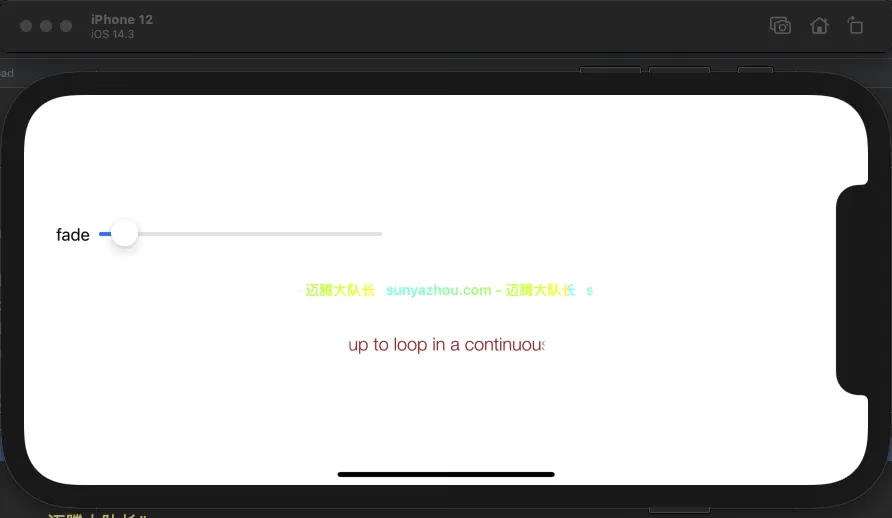
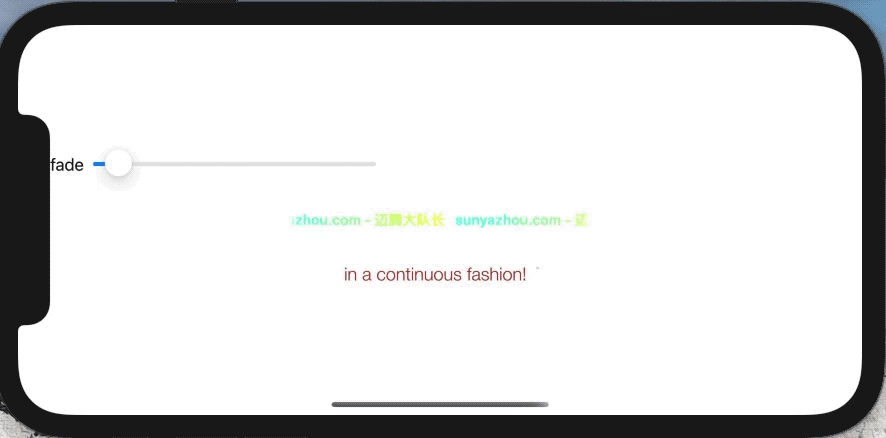
Below is a demonstration of my implementation logic. The demo will be provided below for you to download.
Summary
Second article of 2021. Time is tight. When I have time, I’ll study Sohu’s danmaku system and write a demo.