
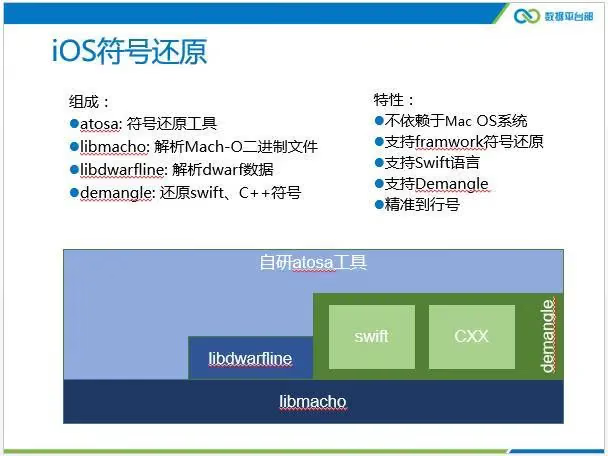
Preface
In iOS development, we often locate bugs through crash stacks. At that point we need a symbol table to restore the code-call information corresponding to memory addresses. To lift the veil on this question that everyone has heard of but people always ask about, I collected and organized relevant knowledge from the bugle platform and various articles for easy reference later.
This Week’s Main Content
- What is a symbol table?
- Why configure a symbol table?
- What is a dSYM file?
What Is a Symbol Table?
A symbol table is a mapping table between memory addresses and function names, file names, and line numbers. The elements of a symbol table are shown below:
<start address> <end address> <function> [<file name>:<line number>]
Why Configure a Symbol Table?
To quickly and accurately locate the code position where a user’s app Crashes, we can use a symbol table to parse and restore the program’s stack at the point where the app Crash occurred.
Here’s an example:

The image above shows the crash stack calls we resolved using the symbol table.
What Is a dSYM File?
On the iOS platform, a dSYM file is a target file containing debug information, and the file name is usually com.companyname.dSYM. As shown below:
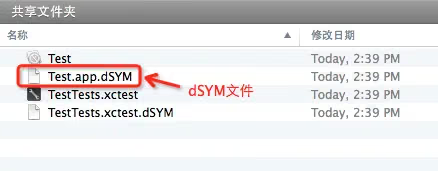
Generally it has the same name as the target of the Xcode project.
To make it easier to find the dSYM file corresponding to a Crash and restore the stack, it’s recommended to back up the dSYM file every time you build or release an app version.
How to Locate the dSYM File?
In general, after the project is compiled, the dSYM file is in the same directory as the app file. Below I’ll explain in detail how to locate the dSYM file using XCode as the IDE.
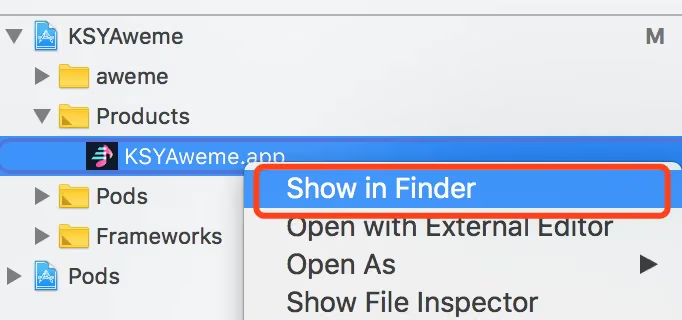
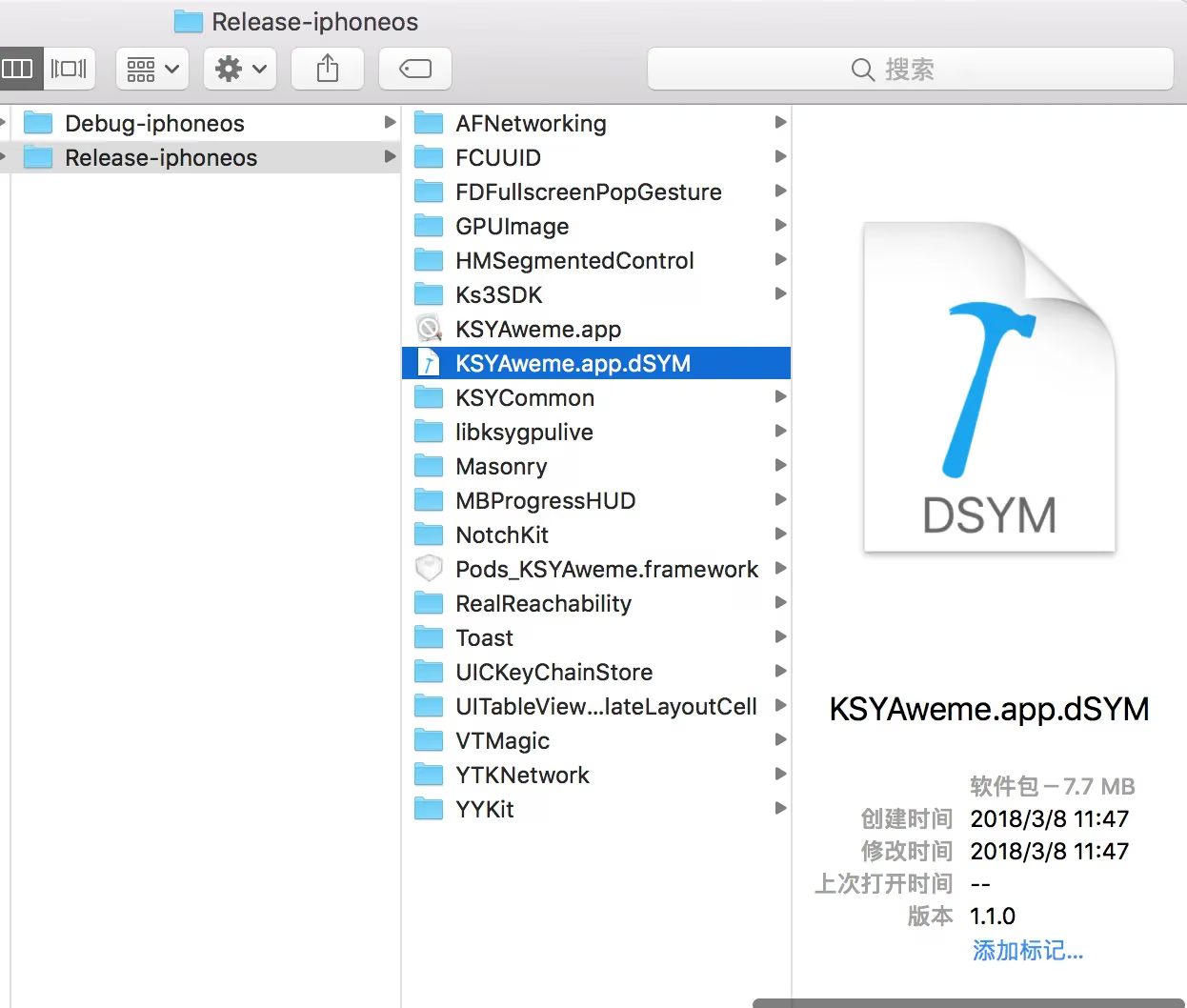
The test here was done in Release mode.
We can see the .dSYM with the same name as the project target.
No dSYM File Generated After Compiling in Xcode?
By default, Xcode generates a dSYM file in the Release build configuration, but not in the Debug build configuration.
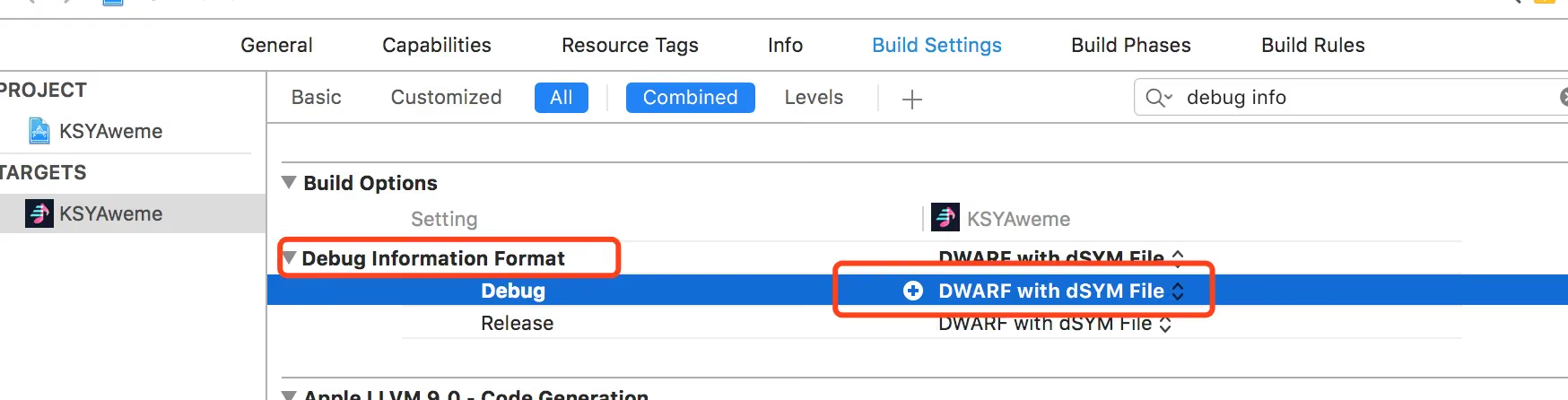
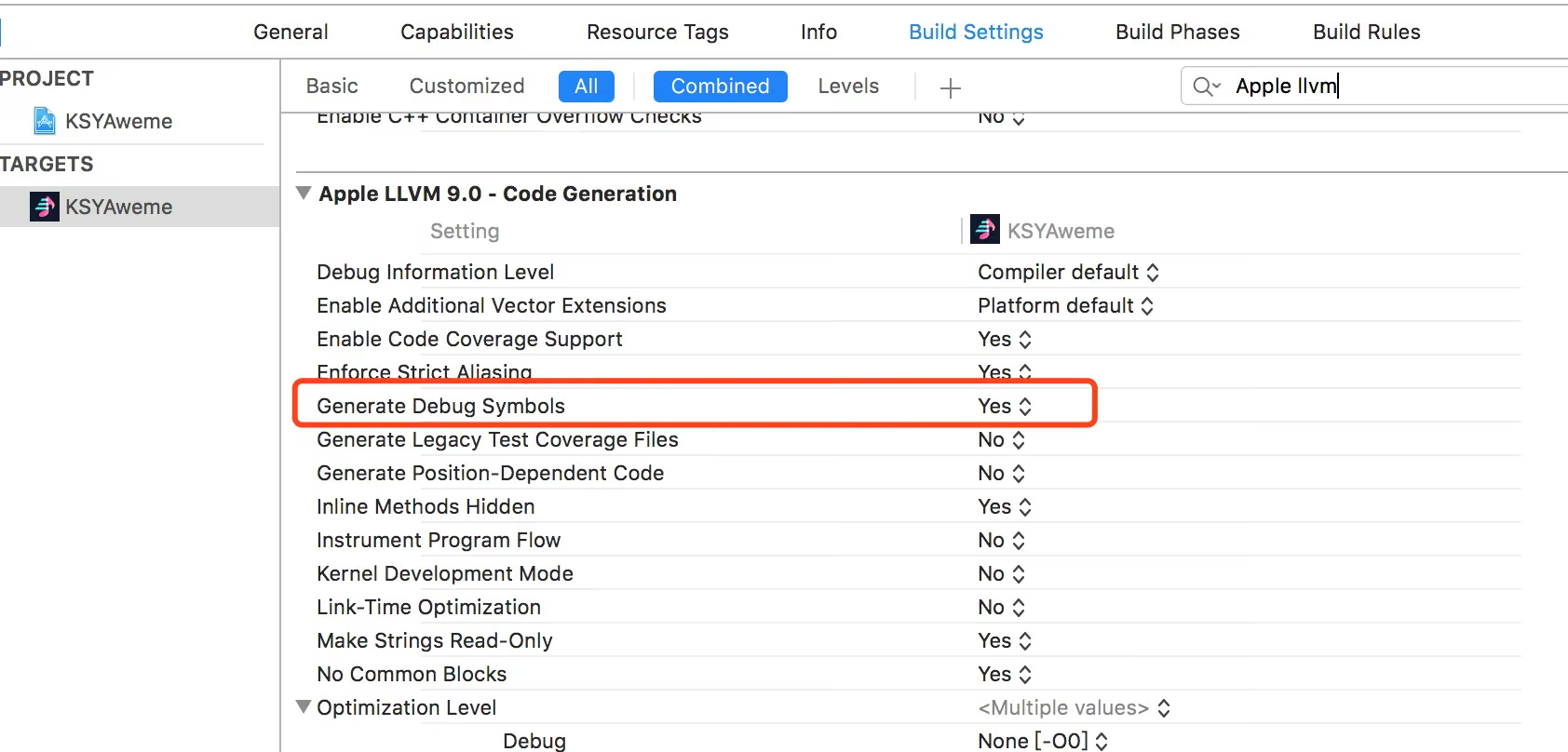
If you want it in Debug, configure Xcode like this:
XCode -> Build Settings -> Code Generation -> Generate Debug Symbols -> Yes
XCode -> Build Settings -> Build Option -> Debug Information Format -> DWARF with dSYM File
What to Watch Out For After Enabling Bitcode?
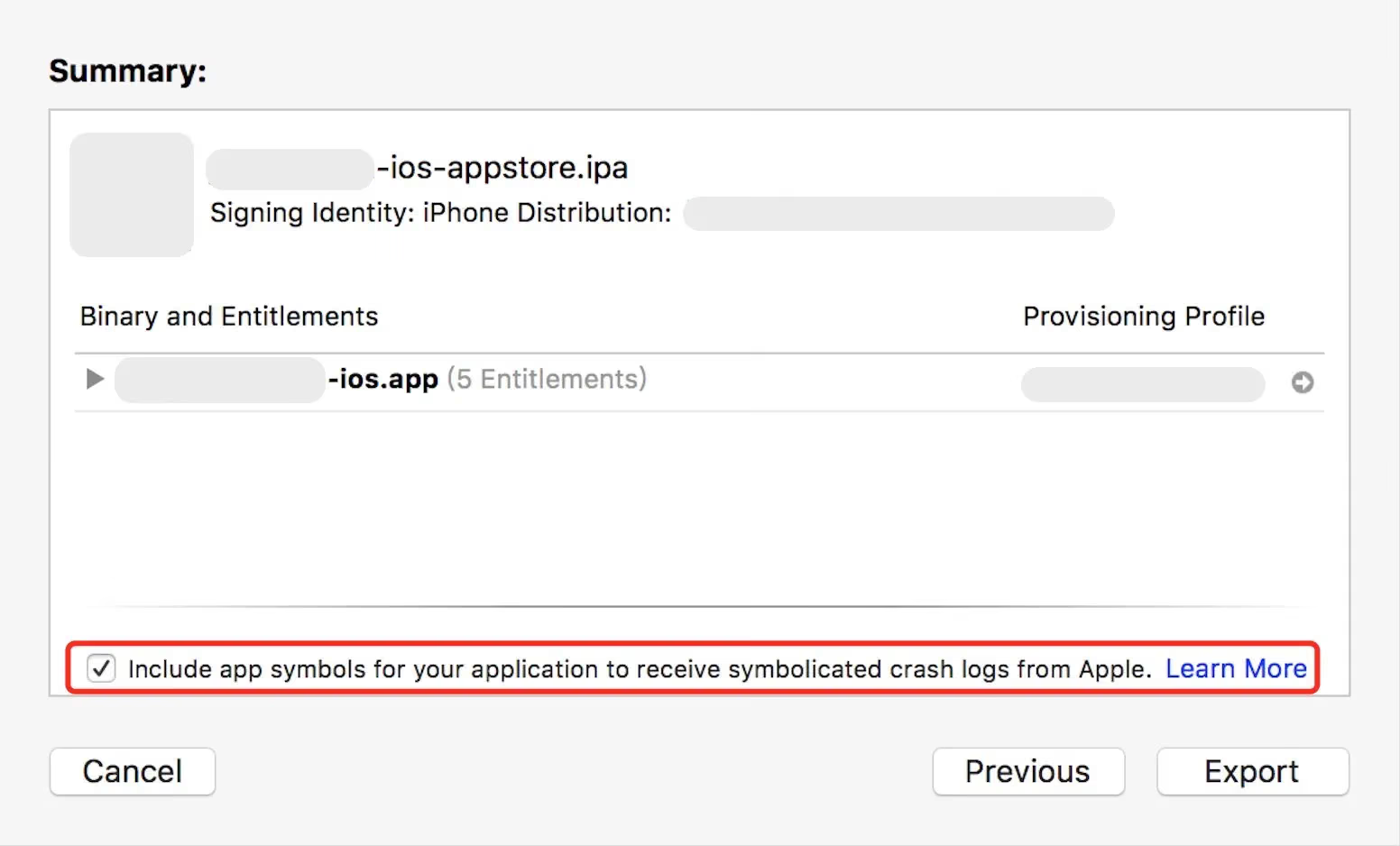
- When uploading to the
App Storeserver viaUpload to App Store, you need to declare the generation of the symbol file (dSYMfile):
- Before configuring the symbol table file, you need to download the dSYM file for that version from the App Store to your local machine, and then use a symbol table tool to generate and upload the symbol table file.
There are two ways to retrieve the dSYM file for an ipa version:
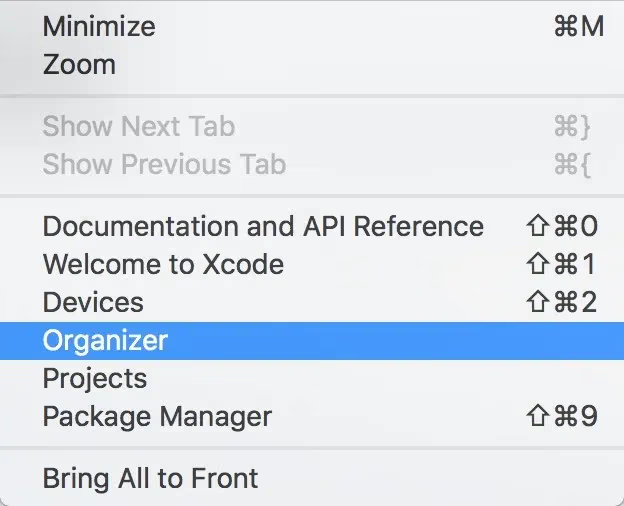
Retrieve the dSYM through Xcode’s archived files. Open
Xcodetop menu bar ->Window->Organizer, as shown below:
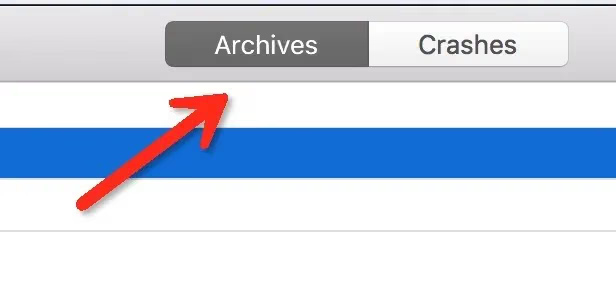
Open theXcodetop menu bar and select theArchivetab:
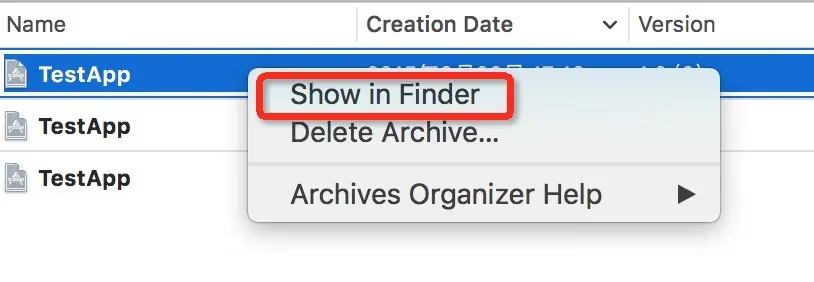
Find the released archive, right-click it and chooseShow in Finder:
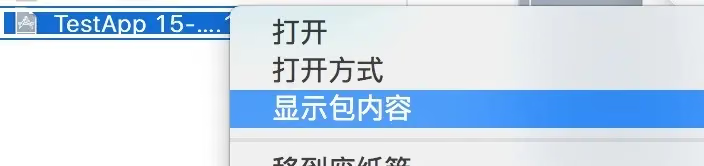
Right-click the located archive file and choose to show package contents:
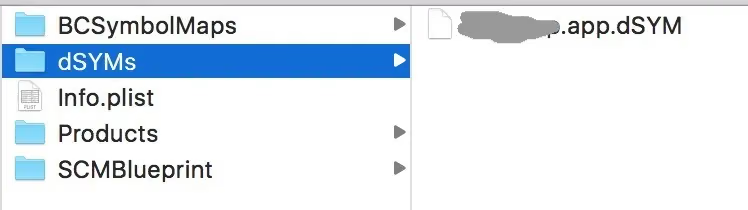
Select thedSYMsdirectory; the directory contains the downloadeddSYMfiles:
Retrieve it through iTunes Connect
In “All Builds”, select a version and click “Download dSYM” to download the dSYM file.
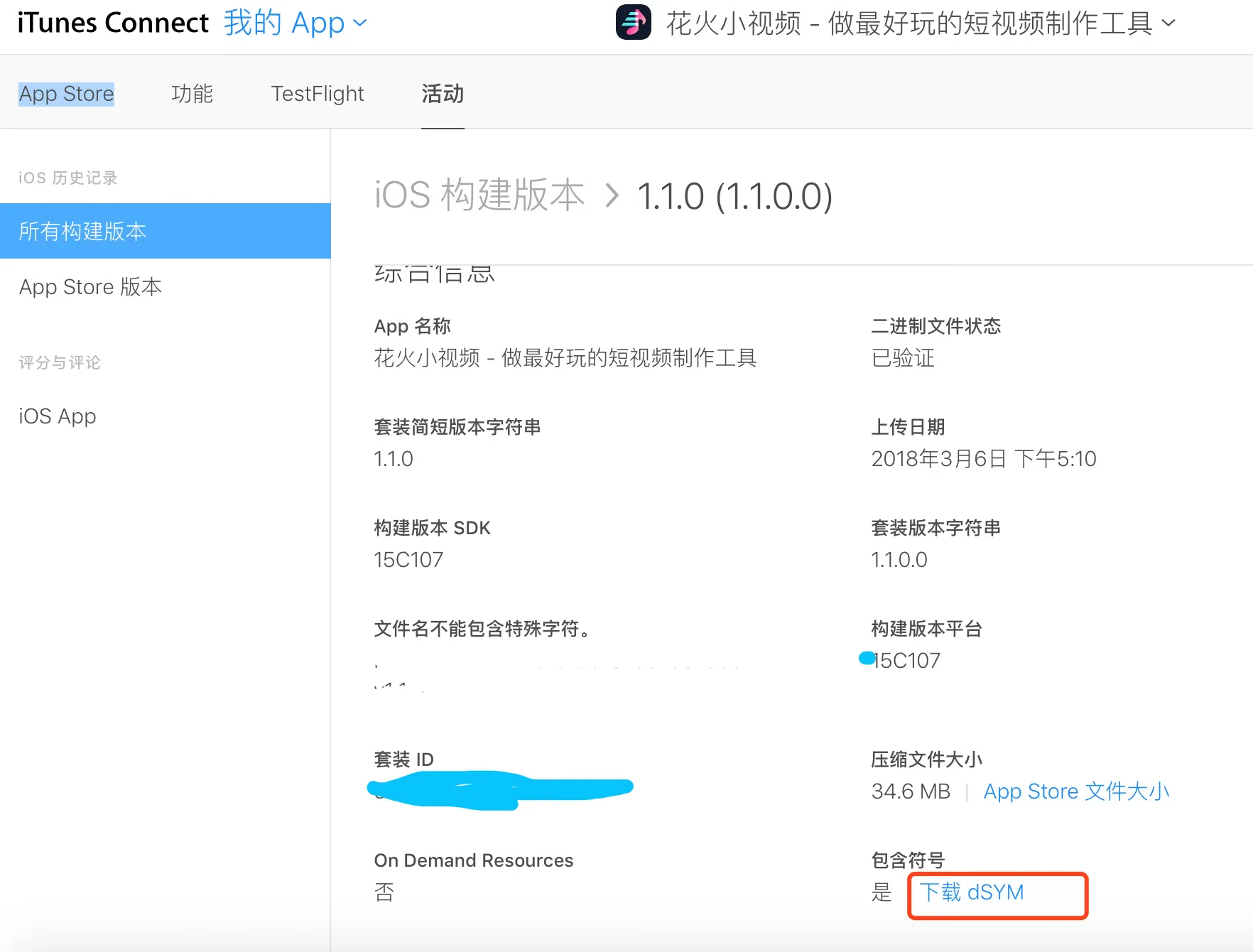
Note: an
Archivercorresponds one-to-one with thedSYMfile. If you mix them up, it’s easy to fail to resolve the source code calls.
Symbol Resolution Command (Updated April 3, 2024)
1
atos -o KWPlayer.app.dSYM/Contents/Resources/DWARF/KWPlayer -arch arm64 -l 0x102100000 0x10720df70 0x10720a5ac 0x10720e13c 0x107211aa0 0x107215574 0x107211aa0 0x10720770c 0x10720772c 0x10720f6ec 0x10720f9e8 0x107208df0 0x1072039b8
Here’s the output:
1
2
3
4
5
6
7
8
9
10
11
12
-[LOTLayerContainer display] (in KWPlayer) (LOTLayerContainer.m:385)
-[LOTCompositionContainer displayWithFloatFrame:forceUpdate:] (in KWPlayer) (LOTCompositionContainer.m:107)
-[LOTLayerContainer displayWithFloatFrame:forceUpdate:] (in KWPlayer) (LOTLayerContainer.m:411)
-[LOTRenderGroup updateWithFrame:withModifierBlock:forceLocalUpdate:] (in KWPlayer) (LOTRenderGroup.m:142)
-[LOTTrimPathNode updateWithFrame:withModifierBlock:forceLocalUpdate:] (in KWPlayer) (LOTTrimPathNode.m:62)
-[LOTRenderGroup updateWithFrame:withModifierBlock:forceLocalUpdate:] (in KWPlayer) (LOTRenderGroup.m:142)
-[LOTAnimatorNode updateWithFrame:withModifierBlock:forceLocalUpdate:] (in KWPlayer) (LOTAnimatorNode.m:51)
-[LOTAnimatorNode updateWithFrame:withModifierBlock:forceLocalUpdate:] (in KWPlayer) (LOTAnimatorNode.m:54)
-[LOTPathAnimator performLocalUpdate] (in KWPlayer) (LOTPathAnimator.m:36)
-[LOTPathInterpolator pathForFrame:cacheLengths:] (in KWPlayer) (LOTPathInterpolator.m:0)
-[LOTBezierPath LOT_addCurveToPoint:controlPoint1:controlPoint2:] (in KWPlayer) (LOTBezierPath.m:167)
LOT_PointInCubicCurve (in KWPlayer) (CGGeometry+LOTAdditions.m:366)
After the -l command you can pass multiple addresses, separated by , commas or spaces.
Here’s the raw file:
1
2
3
4
5
6
7
8
9
10
11
12
13
14
15
16
17
18
19
20
21
22
23
24
25
26
27
28
29
30
31
32
Heaviest stack for the target process:
  5  ??? (dyld + 24012) [0x1be4d6dcc]
  5  ??? (KWPlayer + 108397220) [0x1088602a4]
  5  ??? (UIKitCore + 2276456) [0x19dbc0c68]
  5  ??? (UIKitCore + 2278956) [0x19dbc162c]
  5  ??? (GraphicsServices + 13560) [0x1ded1e4f8]
  5  ??? (CoreFoundation + 210040) [0x19b79d478]
  3  ??? (CoreFoundation + 211096) [0x19b79d898]
  3  ??? (CoreFoundation + 215900) [0x19b79eb5c]
  3  ??? (CoreFoundation + 222120) [0x19b7a03a8]
  3  ??? (CoreFoundation + 225580) [0x19b7a112c]
  3  ??? (UIKitCore + 696208) [0x19da3ef90]
  3  ??? (UIKitCore + 696020) [0x19da3eed4]
  3  ??? (UIKitCore + 698340) [0x19da3f7e4]
  3  ??? (UIKitCore + 699596) [0x19da3fccc]
  3  ??? (QuartzCore + 416484) [0x19cddbae4]
  3  ??? (QuartzCore + 417340) [0x19cddbe3c]
  2  ??? (QuartzCore + 445280) [0x19cde2b60]
  2  ??? (QuartzCore + 419644) [0x19cddc73c]
  1  ??? (KWPlayer + 84991856) [0x10720df70]
  1  ??? (KWPlayer + 84977068) [0x10720a5ac]
  1  ??? (KWPlayer + 84992316) [0x10720e13c]
  1  ??? (KWPlayer + 85007008) [0x107211aa0]
  1  ??? (KWPlayer + 85022068) [0x107215574]
  1  ??? (KWPlayer + 85007008) [0x107211aa0]
  1  ??? (KWPlayer + 84965132) [0x10720770c]
  1  ??? (KWPlayer + 84965164) [0x10720772c]
  1  ??? (KWPlayer + 84997868) [0x10720f6ec]
  1  ??? (KWPlayer + 84998632) [0x10720f9e8]
  1  ??? (KWPlayer + 84970992) [0x107208df0]
  1  ??? (KWPlayer + 84949432) [0x1072039b8]
References:
Bugly iOS Symbol Table Configuration
App Launch Time: Past, Present, and Future
End of article.