
Preface
Today I ran into a requirement: the PM asked that the input field strip out anything that isn’t a letter, number, or Chinese character.
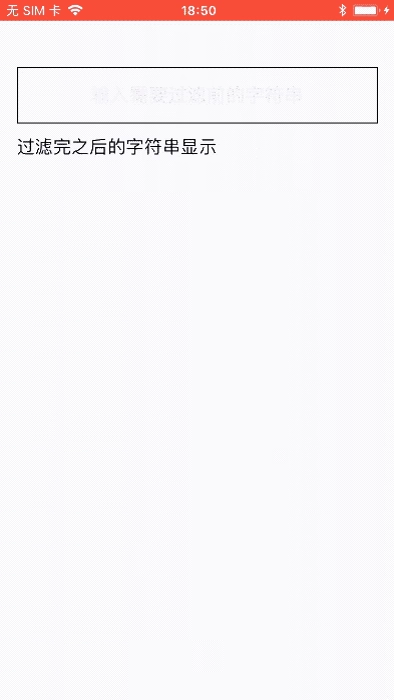
With this question in mind, today’s article begins.
Preparation
Create a demo with the following code:
1
2
3
4
5
6
7
8
9
10
11
12
13
14
15
16
17
18
19
20
@interface ViewController ()
@property (weak, nonatomic) IBOutlet UITextField *input;
@property (weak, nonatomic) IBOutlet UILabel *label;

@end

@implementation ViewController

- (void)viewDidLoad {
    [super viewDidLoad];
    self.input.delegate = self;
    [self.input addTarget:self action:@selector(textChange:) forControlEvents:UIControlEventEditingChanged];
}

// Called when the text content changes
- (void)textChange:(UITextField *)textField
{
    // Call the relevant method here to filter the string and display it
    self.label.text = //...;
}
After searching around online, most solutions use predicates to check whether something is included, but very few actually process the string.
I found 3 ways to process the string:
- Approach 1: filter with a predicate
- Approach 2: filter with a regular expression, increasing the length of the string being matched
- Approach 3: filter the string with a streamlined regular expression
1
2
3
4
5
6
7
8
9
10
11
12
13
14
15
方案1
- (NSString *)filterString1:(NSString *)str {
    NSString *regex = @"^[a-zA-Z0-9\u4e00-\u9fa5]+";
    NSPredicate *pred = [NSPredicate predicateWithFormat:@"SELF MATCHES %@", regex];
    NSMutableString * retStr = [NSMutableString string];
    for(NSInteger i=0; i< [str length];i++){
        NSRange range = NSMakeRange(i, 1);
        NSString *character = [str substringWithRange:range];
        if([pred evaluateWithObject:character])
        {
            [retStr appendString:character];
        }
    }
    return retStr;
}
This approach works, but the code is a bit verbose; still, it gets the job done.
1
2
3
4
5
6
7
// Approach 2
- (NSString *)filterString2:(NSString *)str {
    NSString *regex = @"[^a-zA-Z0-9\u4e00-\u9fa5]";
    NSMutableString *mstr = [NSMutableString stringWithFormat:@"%@", str];
    NSUInteger i = [mstr replaceOccurrencesOfString:regex withString:@"" options:NSRegularExpressionSearch range:NSMakeRange(0, mstr.length)];
    return [NSString stringWithFormat:@"%@-长度:%zd",mstr,i];
}
The same approach uses the
replaceOccurrencesOfString:withString:options:range:method to replace strings with a regular expression.
Below we streamline it to two lines of code:
1
2
3
4
5
// Approach 3
- (NSString *)filterString3:(NSString *)str {
    NSString *regex = @"[^a-zA-Z0-9\u4e00-\u9fa5]";
    return [str stringByReplacingOccurrencesOfString:regex withString:@"" options:NSRegularExpressionSearch range:NSMakeRange(0, str.length)];
}
In the end, Approach 3 gives good expected results; it’s recommended.
Summary
Some problems are encountered at work, and I hope to record and share them here to learn together.
The end.