
Preface
This post carries a strong personal tone. If you find it uncomfortable to read, please close it as soon as possible. This article is only for my personal learning notes. You’re welcome to repost or share it within the scope of the license, but please respect the copyright and keep the original link. Thank you for your understanding and cooperation. If you find this site helpful, you can subscribe via RSS. Thanks for your support!
Problem
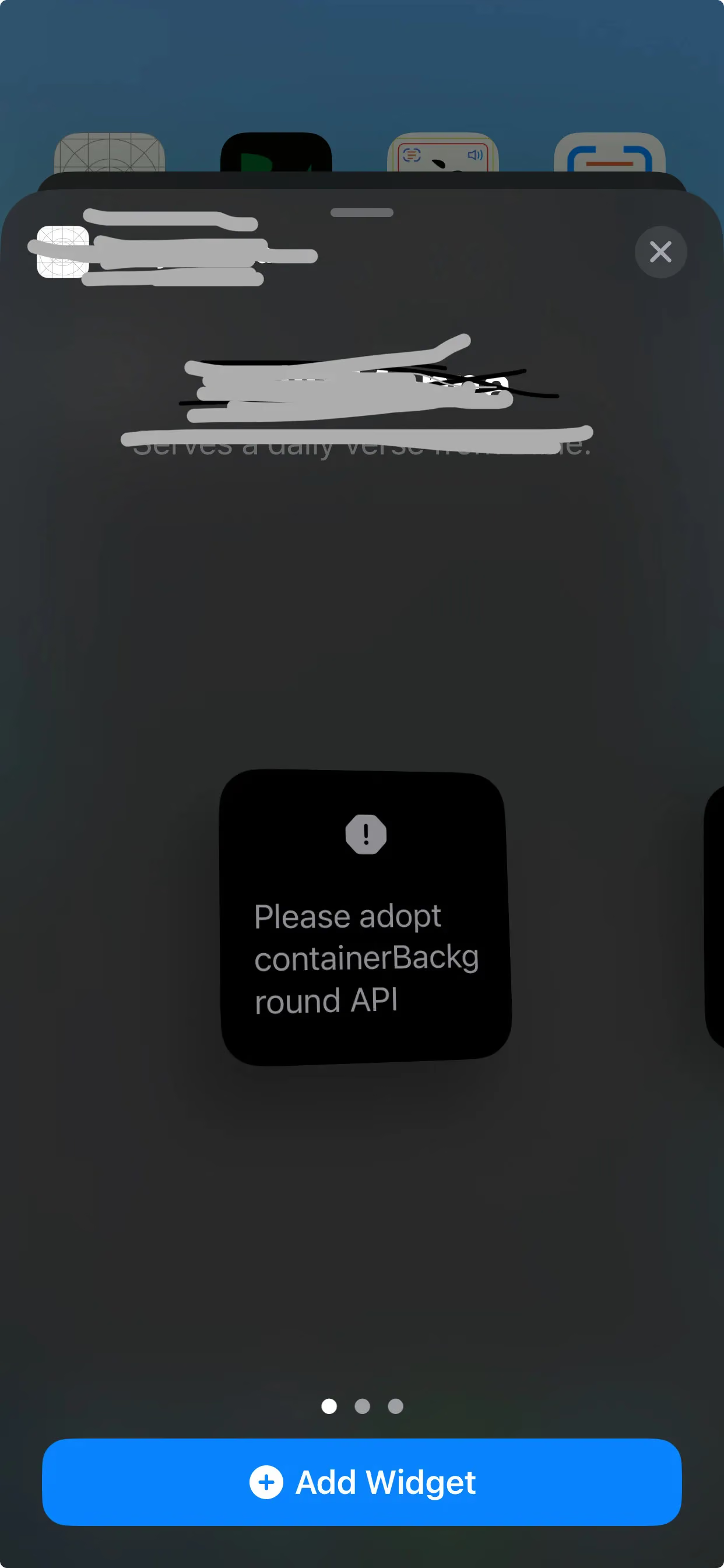
Recently I’ve been developing widgets on iOS 17 using the SwiftUI framework. On my first attempt at building it in a project, I ran into an API availability-checking problem.
My previous widgets were lock-screen widgets running on iOS 16. iOS 17 recently added new content, and when running, it prompts you to add
1
containerBackground(.red.gradient, for: .widget)
such an adapted container. This means the some View API that worked on iOS 16 now has to use the iOS 17 API.
1
2
3
4
5
6
7
8
9
10
11
12
13
14
15
16
17
ZStack(alignment: .bottomTrailing) {
        Image("widget_clock")
            .resizable()
            .aspectRatio(contentMode: .fill)

        VStack(spacing: 0) {
            Text("\(entry.date.hour)")
            Text("\(entry.date.min)")
        }
        .font(.system(size: 60, weight: .bold))
        .foregroundColor(.white)
    }
    . if #available(iOSApplicationExtension 17.0, *) {   //这行代码报错 告知我不能这样做 不识别if
            $0.containerBackground(.red.gradient, for: .widget)
        } else {
            // Fallback on earlier versions
        }
After researching for a while, I found that I need to extend View with a function that returns itself for chained configuration.
I really couldn’t figure out how to write it properly, so in the end I just wrote an extension for View.
1
2
3
4
5
6
7
8
9
import Foundation
import SwiftUI

public extension View {
    func modify<Content>(@ViewBuilder _ transform: (Self) -> Content) -> Content {
        transform(self)
    }
}
Then when using it:
1
2
3
4
5
6
7
.modify{
    if #available(iOSApplicationExtension 17.0, *) {
        $0.containerBackground(.red.gradient, for: .widget)
    } else {
        // Fallback on earlier versions
    }
}
Only this way can it compile successfully in SwiftUI’s body.
Here’s the complete test code:
1
2
3
4
5
6
7
8
9
10
11
12
13
14
15
16
17
18
19
20
struct MomentsWidget: Widget {
    let kind: String = WidgetType.moments.kind

    var body: some WidgetConfiguration {
        IntentConfiguration(kind: kind, intent: ConfigurationIntent.self, provider: MomentsWidgetProvider()) { entry in
            MomentsWidgetEntryView(entry: entry)
                .modify{  // The adaptation code
                    if #available(iOSApplicationExtension 17.0, *) {
                        $0.containerBackground(.white.gradient, for: .widget)
                    } else {
                        // Fallback on earlier versions
                    }
                }
        }
        // This defines the title and subtitle shown in the widget's popup interface
        .configurationDisplayName("好友动态")
        .description("通过该组件可以创建好友动态列表")
        .supportedFamilies([.systemLarge])
    }
}
Summary
- Writing SwiftUI feels like when I first touched UIKit — hard at the beginning, because I lack understanding of it.
- SwiftUI’s framework design should have taken this kind of problem into account and provided a dedicated API, or at least Xcode’s suggestions shouldn’t be wrong. When even what Xcode provides is wrong, it only shows that the thing isn’t mature yet.