
Preface
This article carries strong personal feelings. If you feel uncomfortable reading it, please close it as soon as possible. This article is only for personal learning records. Reposting or sharing within the scope of the license is welcome. Please respect the copyright and keep the original link. Thank you for your understanding and cooperation. If you think this site can help you, you can subscribe to this site via RSS. Thanks for your support!
Background
In recent development, the product required adding a favorite button to the audio playback control center. I checked QQ Music and NetEase Cloud Music and found they both already have this button. However, on Kuwo Music’s app, after switching to the background and locking the screen, this button didn’t appear. After checking the code, I found the button wasn’t added, so I added it, but then found there was no animation effect.
Searching the entire web on this issue, no one explained it clearly. After repeated testing, I found that Apple provides us with a new API that we hadn’t noticed.
First, let’s see what the finished effect looks like,
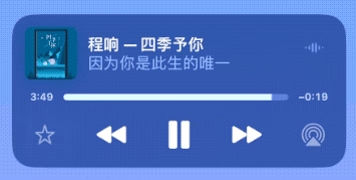
Here’s the key API code needed here:
1
2
3
4
5
6
7
8
@interface MPFeedbackCommand : MPRemoteCommand

/// Whether the feedback command is in an "active" state. An example of when a
/// feedback command would be active is if the user already "liked" a particular
/// content item.
@property (nonatomic, assign, getter = isActive) BOOL active;   //就是这个
...
@end
Below is the complete code for adding this feature.
1
2
3
4
5
6
7
8
9
10
11
12
13
14
15
16
17
18
19
20
if (@available(iOS 17.1, *)) {
    MPRemoteCommandCenter *center = [MPRemoteCommandCenter sharedCommandCenter];
    [center.likeCommand setEnabled:YES];
    [center.likeCommand setLocalizedTitle:@"收藏"];
    [center.likeCommand setLocalizedShortTitle:@"收藏此歌曲"];
    //TODO: check 是否 已收藏
    [center.likeCommand setActive:NO]; //假设默认此歌曲没有被收藏的效果是没有 电量喜欢
    [center.likeCommand addTargetWithHandler:^MPRemoteCommandHandlerStatus(MPRemoteCommandEvent * _Nonnull event) {
        // ... 处理收藏歌曲逻辑的代码 此处省略
        if (@available(iOS 17.1, *)) {
            MPFeedbackCommand *likeCommand = (MPFeedbackCommand *)event.command;
            if (likeCommand && likeCommand.isEnabled) {
                BOOL lastActive = likeCommand.isActive;
                [likeCommand setActive:!lastActive]; //TODO: 此处代码模拟已收藏和取消收藏,这里得到结果后 再次设置Active将会出现动画效果
            }
        }
        return MPRemoteCommandHandlerStatusSuccess; //如果点击收藏成功可以返回这个状态
    }];
}];
}
That’s all the code needed to implement the favorite animation.
Pitfall Log
Note that in MPRemoteCommandCenter there is the following code
1
2
3
4
5
6
// Feedback Commands
// These are generalized to three distinct actions. Your application can provide
// additional context about these actions with the localizedTitle property in
// MPFeedbackCommand.
@property (nonatomic, readonly) MPFeedbackCommand *likeCommand;
@property (nonatomic, readonly) MPFeedbackCommand *dislikeCommand;
At first I tried using the dislikeCommand button, but it had no effect. I really can’t understand Apple’s approach here. If you want one button to solve two states, why not provide a selectable state for that button? Why create two buttons to confuse developers? After reading the docs, I still couldn’t understand why one button can produce an animation but two buttons can’t. This is a button that could be deprecated; keeping it serves little purpose. I suggest Apple remove it if they see this! At least it would save developers from taking a detour.
Summary
In development, weird APIs always show up. Be good at accumulating, diligent in practicing, record the process, solve problems. That’s all for this chapter.