
Preface
These past few days the internet has been heavily regulated due to the ongoing national congress, which made my VPN proxy unreliable. Just then, OneV’s Den published a post about the classification of Swift Errors
Every time I read OneV’s Den’s articles, it’s like Zhuge Liang chatting with Zhou Yu — a delight. Not that I’d compare myself to either of them.
While carefully reading OneV’s Den’s blog, I discovered that markdown supports many html tag tricks.
For example:
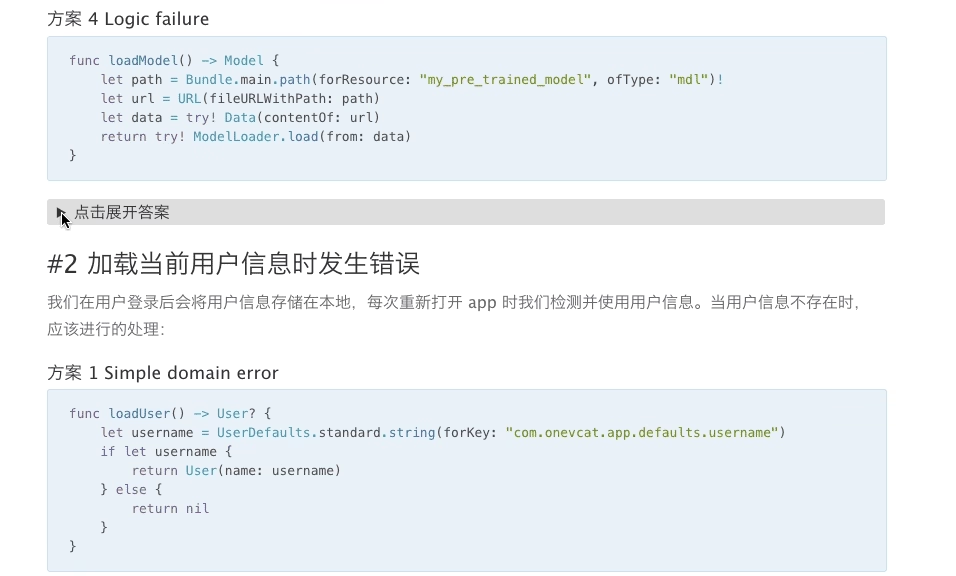
At first glance I was amazed — so many fun things can be embedded in markdown. So I asked OneV’s Den about this.
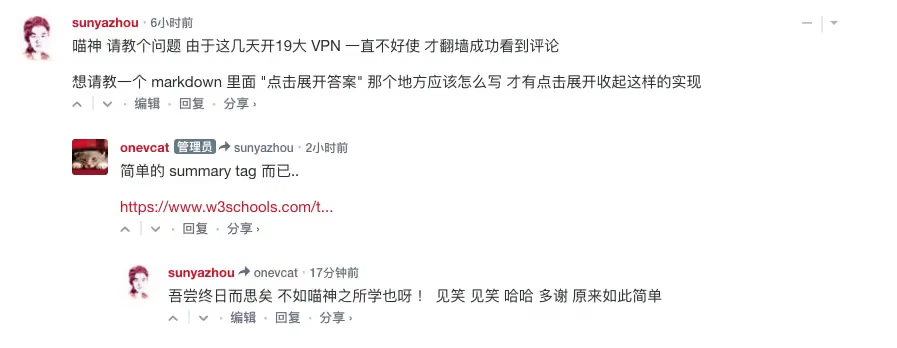
So I tested it with some code
1
2
3
4
5
<details>
  <summary>点击时的区域标题</summary>
  <p> - 测试 测试测试</p>
  <p> 测试二 测试三 。。。。。 .</p>
</details>
Now let’s play around with it.
This is Mr. Sun's blog. Click to see more.
666666 — Yesterday was Programmers' Day. Were you tormented by PMs? QA filed a bunch of bugs you didn't want to fix.
By the way, I passed my driver's license test yesterday — it took 2 months. Pretty fast, right......
You can also embed images.
Calligraphy

1
2
3
4
5
<details>
  <summary>书法</summary>
  <p><img src="/assets/images/aboutme/tsinghua.avif" alt="Calligraphy"> </p>
  <p> </p>
</details>
OK, those are the few lines of code we used above. Simple — just paste them into the markdown editor and the effect appears immediately.
Thanks to OneV’s Den for the guidance
For more tag-related info, refer to w3schools
How to change font color in markdown, like the code below:
<font color=#0099ff size=12 face=”黑体”>Colored text in a custom font</font>
1
<font color=#0099ff size=12 face="黑体">黑体带颜色</font>
Updated 20201012
The End