

Preface
This article is strongly personal in tone. If it makes you uncomfortable, please close it immediately. This article is for personal learning records only. You are welcome to repost or share it within the scope of the license agreement. Please respect the copyright and keep the original link. Thank you for your understanding and cooperation. If you find this site helpful, you can subscribe via RSS. Thanks for your support!
Introduction to MagnificationGesture
MagnificationGesture is a gesture recognizer in SwiftUI for handling pinch-to-zoom gestures. It allows users to zoom in or out on elements in a view by pinching (moving two fingers together or apart). This gesture is useful in a wide variety of scenarios, such as image zooming, map zooming, and user interface zooming.
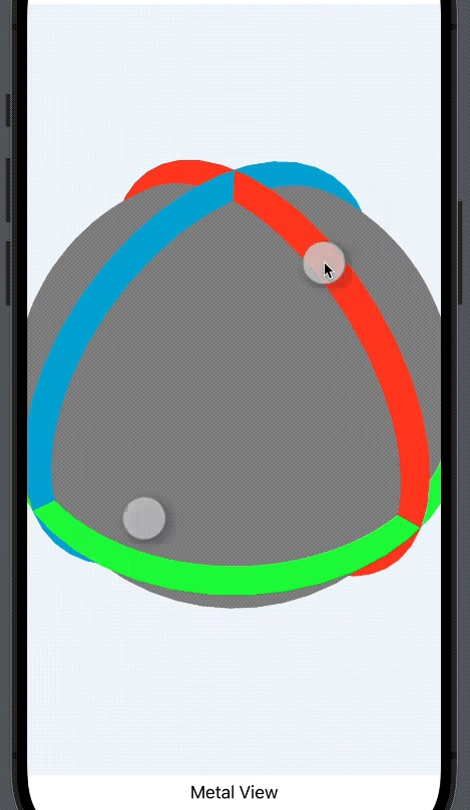
Key Features
- Zoom gesture recognition:
MagnificationGesturerecognizes the user’s pinch gesture and zooms the view in or out according to the gesture’s direction (moving together or apart). - Real-time response: While the user performs the zoom gesture,
MagnificationGestureadjusts the view’s size in real time, providing a smooth interactive experience. - Customizability: Developers can customize the behavior of
MagnificationGestureby setting different parameters and listeners to meet various application needs.
Use Cases
- Image zooming: In image-viewing apps, users can use
MagnificationGestureto zoom in or out on an image for a closer look at its details. - Map zooming: In map apps,
MagnificationGestureallows users to zoom in or out on the map by pinching, in order to view geographic information at different levels. - User interface zooming: In apps that need a custom interface size,
MagnificationGesturecan be used to implement UI zooming, enhancing the user’s personalized experience.
Example Code
1
2
3
4
5
6
7
8
9
10
11
12
13
14
15
16
17
18
19
import SwiftUI

struct MagnificationGestureDemo: View {
    @GestureState private var scalingRatio: CGFloat = 1.0

    var body: some View {
        Image("exampleImage") // 替换为实际图片名称
            .resizable()
            .frame(width: 200, height: 200)
            .scaleEffect(scalingRatio) // 应用缩放效果
            .gesture(
                MagnificationGesture()
                    .updating($scalingRatio, body: { value, state, _ in
                        state = value // 更新缩放比例
                    })
            )
    }
}
In the example above, MagnificationGesture is attached to an image view and uses the .updating modifier to update an @GestureState variable named scalingRatio, which records the current scaling ratio. When the user performs the zoom gesture, the value of scalingRatio updates in real time and is applied to the image via the .scaleEffect modifier, thereby achieving the image zoom effect.
Summary
MagnificationGesture is a very practical gesture recognizer in SwiftUI. It allows developers to implement complex pinch-zoom gesture interactions with simple code. When developing apps that require zoom functionality, MagnificationGesture is an indispensable tool.