
Preface
Recently I’ve been developing multimedia audio/video related features. I’ll record all the problems I encountered here. Below is an example provided by a colleague that I organized, as a reference for when similar problems come up in future development.
Opening
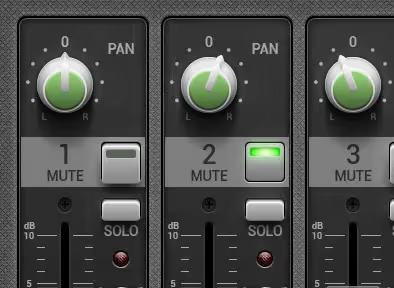
Recently I was developing audio features involving left/right channel adjustment, using the volume of the left and right channels to achieve a sound surround effect. Below is a UI demo.

What this actually modifies is similar to the pan value in AVAudioPlayer
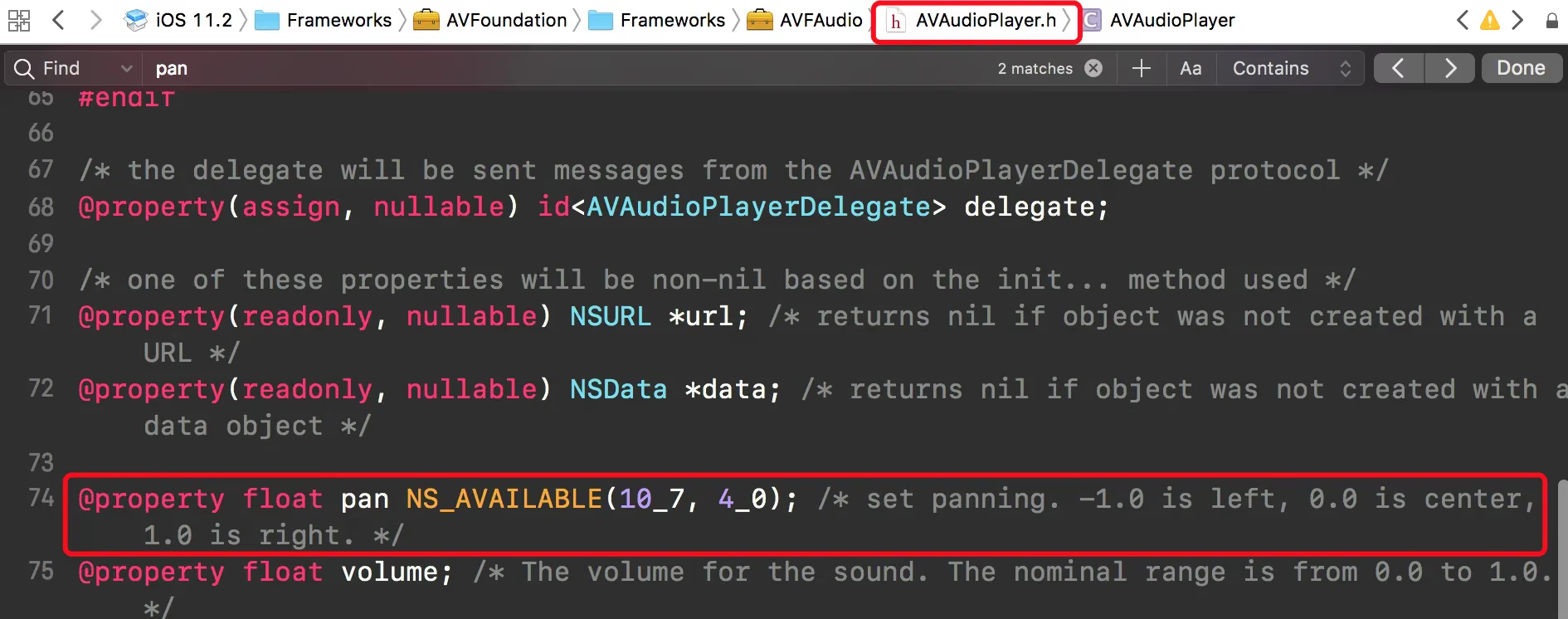
In a previous article, I also mentioned this pan value
You might wonder why this API is called pan
In acoustics, this concept has a dedicated name: 声像 (panorama).
[This article](Pan%EF%BC%89) provides a brief introduction to some acoustic knowledge. Although I don’t know who the author is, they should be a very professional acoustics developer.
Actually, based on our usual understanding, we’d implement the pan value adjustment like this:
The left channel volume compensates for the right channel sound, or the right channel compensates for the left channel. The slider’s value decides how much to add or subtract on each side. But while the idea is right, the approach is incorrect, because the volume of both sides must be 1.0 at the center, meaning the range is between -1 ~ 1. Following this sliding approach would cause the adjustment to be too large.
With this problem in hand, my colleague found a formula to calculate this value
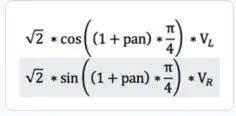
panis our slider’svalueVlrepresents the left channel volumeVrrepresents the right channel volume
Based on this formula, we have the following code
1
2
3
4
5
6
7
8
9
10
11
12
13
14
15
16
17
18
19
20
21
22
23
24
25
26
27
28
29
30
31
32

#import <math.h>

typedef NS_ENUM(NSUInteger, KSYMCChannelType) {
    KSYMCChannelTypeLeft = 0,
    KSYMCChannelTypeRight = 1
};

@interface KSYMultiCanvasHelper : NSObject

+ (CGFloat)calculateVolume:(KSYMCChannelType)type
                  panValue:(CGFloat)pan
                    volume:(CGFloat)volume;

@end

@implementation KSYMultiCanvasHelper

+ (CGFloat)calculateVolume:(KSYMCChannelType)type
                  panValue:(CGFloat)pan
                    volume:(CGFloat)volume{
    if (type == KSYMCChannelTypeLeft) {
        CGFloat leftVolumn = sqrt(2) * cos((1 + pan)*M_PI_4) *volume;
        return leftVolumn;
    } else if (type == KSYMCChannelTypeRight) {
        CGFloat rightVolumn = sqrt(2) * sin((1 + pan)*M_PI_4) *volume;
        return rightVolumn;
    }

    return 0;
}
@end
The calculation here is quite accurate.
After testing, when the left channel volume is 0, the right channel volume should be about 1.41
Summary
Through the above testing, implementing the pan value adjustment yourself is actually not that hard; it’s just that my own accumulation of audio knowledge is too limited. This article may not seem very technical — treat it as a small accumulation of knowledge. As for why it’s M_PI_4, please study the extension links in the article, because a linear operation needs to be converted into a circular one to make the math more convenient, as well as the difference between panorama and sound direction.
The End