
Preface
I wrote a simple number multiple animation implemented with opacity and scale
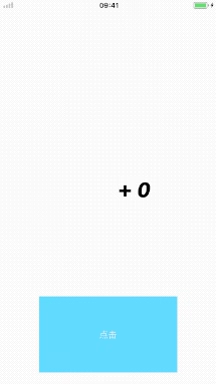
Implementation Approach
The code is easier to understand
1
2
3
4
5
6
7
8
9
10
11
12
13
14
15
16
17
18
19
20
21
22
23
24
25
// Number bounce animation
- (void)labelDanceAnimation:(NSTimeInterval)duration {
    // Opacity
    CABasicAnimation *opacityAnimation = [CABasicAnimation animationWithKeyPath:@"opacity"];
    opacityAnimation.duration = 0.4 * duration;
    opacityAnimation.fromValue = @0.f;
    opacityAnimation.toValue = @1.f;

    // Scale
    CAKeyframeAnimation *scaleAnimation = [CAKeyframeAnimation animationWithKeyPath:@"transform.scale"];
    scaleAnimation.duration = duration;
    scaleAnimation.values = @[@3.f, @1.f, @1.2f, @1.f];
    scaleAnimation.keyTimes = @[@0.f, @0.16f, @0.28f, @0.4f];
    scaleAnimation.removedOnCompletion = YES;
    scaleAnimation.fillMode = kCAFillModeForwards;

    CAAnimationGroup *animationGroup = [CAAnimationGroup animation];
    animationGroup.animations = @[opacityAnimation, scaleAnimation];
    animationGroup.duration = duration;
    animationGroup.removedOnCompletion = YES;
    animationGroup.fillMode = kCAFillModeForwards;

    [self.comboLabel.layer addAnimation:animationGroup forKey:@"kComboAnimationKey"];
}
Just use an alpha that goes from 0 ~ 1, then scale it, and add everything to an animation group to finish.
Remember to remove the animation after it finishes; otherwise, it may cause animation memory issues
Here we set the italic font
1
self.comboLabel.font = [UIFont fontWithName:@"AvenirNext-BoldItalic" size:50];
It looks more obvious this way
Finally, call it when the button is clicked
1
2
3
4
5
- (IBAction)clickAction:(UIButton *)sender {
    self.danceCount++;
    [self labelDanceAnimation:0.4];
    self.comboLabel.text = [NSString stringWithFormat:@"+  %tu",self.danceCount];
}
If you want to implement the dozen animation, it’s simple: just take the modulo with danceCount % 10 == 0.
Summary
This animation is suitable for click-counting in some live streaming scenarios. Thanks for watching.