
Preface
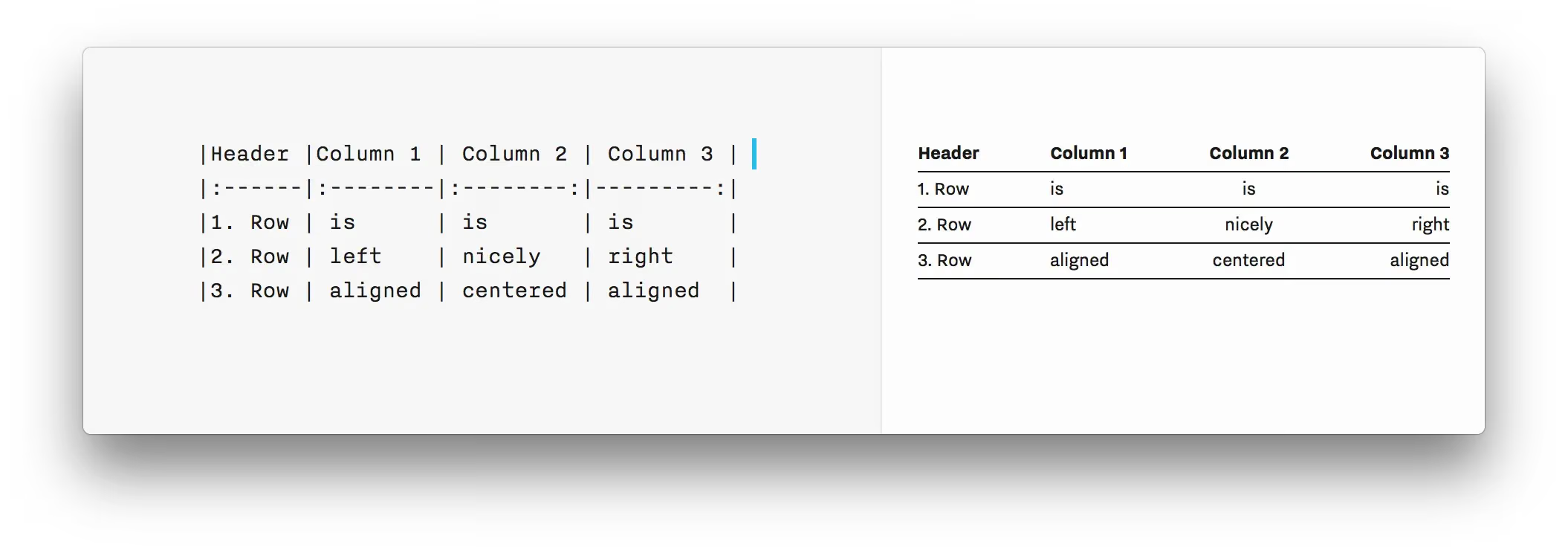
I used to always fail to insert tables in markdown. This post shares how to insert tables in markdown.
demo:
- Plain style
1
2
3
4
5
| 一个普通标题 | 一个普通标题 | 一个普通标题 |
| ------| ------ | ------ |
| 短文本 | 中等文本 | 稍微长一点的文本 |
| 稍微长一点的文本 | 短文本 | 中等文本 |
The rendered result looks like this
| A plain header | A plain header | A plain header |
|---|---|---|
| Short text | Medium text | Slightly longer text |
| Slightly longer text | Short text | Medium text |
Alignment
1
2
3
4
5
| 左对齐标题 | 右对齐标题 | 居中对齐标题 |
| :------| ------: | :------: |
| 短文本 | 中等文本 | 稍微长一点的文本 |
| 稍微长一点的文本 | 短文本 | 中等文本 |
The result looks like this
| Left-aligned header | Right-aligned header | Centered header |
|---|---|---|
| Short text | Medium text | Slightly longer text |
| Slightly longer text | Short text | Medium text |
Syntax notes:
- Extra spaces between
|,-,:, are ignored and do not affect the layout. - By default the header row is centered, and the content is left-aligned.
-:means the content and the header are right-aligned.:-means the content and the header are left-aligned.:-:means the content and the header are centered.- Extra spaces between content and
|are ignored. - The first
|and the last|on each line can be omitted. - There must be at least one
-.
I always forget how to write a markdown table.
If you need to add a column, you can copy and paste the | from the previous row and the |:-----:| from the row below.
I use the open-source, free MacDown. Feel free to download it — I use it for publishing articles.
End of article